Settings & API Keys
Personal preferences, item colour coding, and the API keys that connect the companion apps.
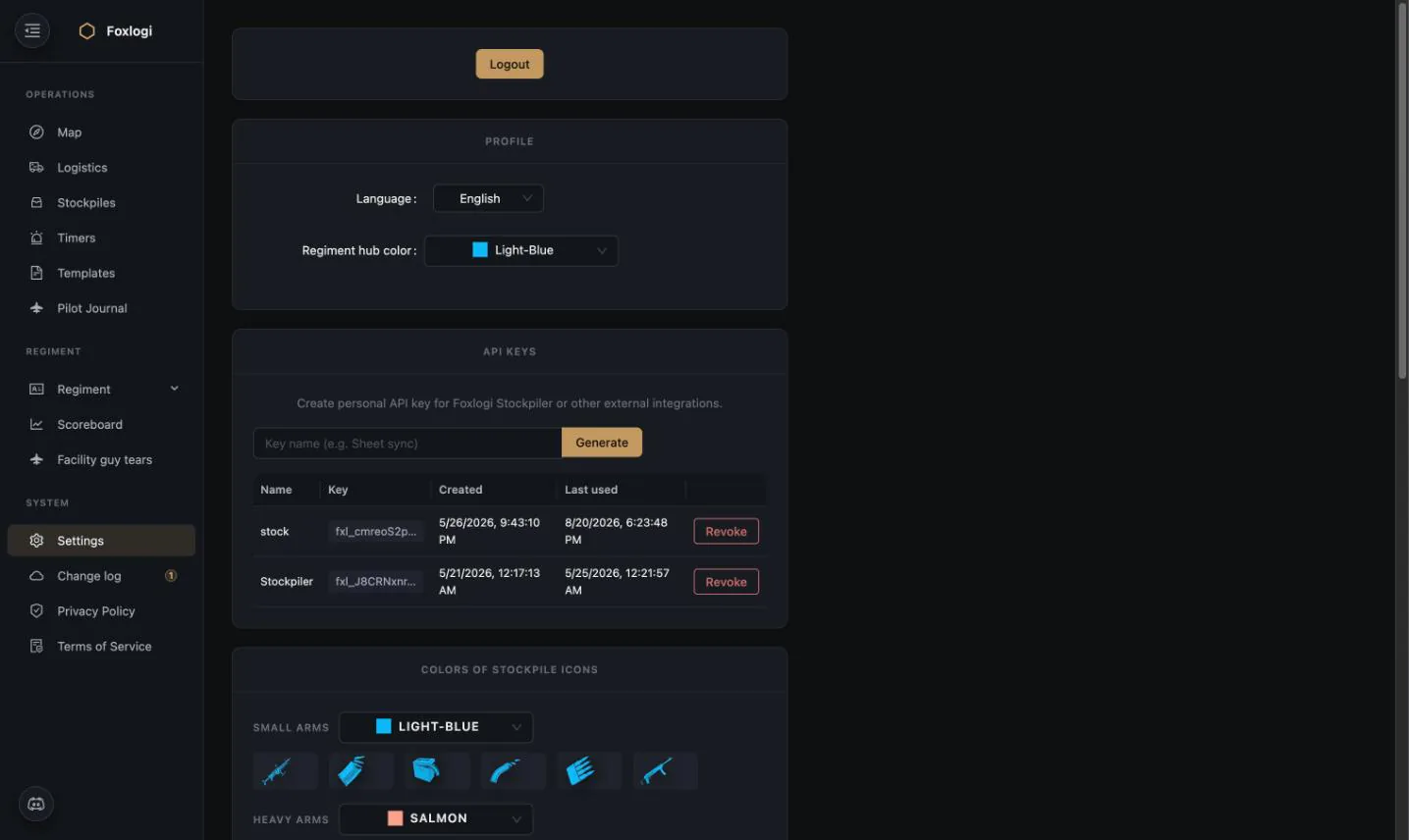
Profile
| Setting | Effect |
|---|---|
| Language | UI language. 10 supported: English, Ukrainian, Polish, Spanish, Portuguese, German, Italian, French, Turkish, Thai |
| Regiment hub color | The colour your regiment's hub rings and supply arcs are drawn in on the map |
The hub colour is per-user, not per-regiment. When a coalition shares logistics data, several regiments' hubs appear on the same map — each viewer picks colours that make sense for how they read it.
New members inherit the regiment's default language on first login, set by a High Officer in Regiment Settings.
API keys
Personal API keys (prefix fxl_) authenticate external integrations against Foxlogi's public
API.
- Generate with a descriptive name —
Stockpiler,Overlay,Sheet sync - The table shows created and last used, so an unused key is obvious
- Revoke kills a key immediately
Keys are personal, not regiment-wide: everything done with a key is attributed to you and scoped to your permissions, so points and action-log entries land on the right person and a Member's key can't read an Officer-only stockpile code.
Because keys are per-user and revocable, a member leaving the regiment takes their key's access with them — no shared secret to rotate.
What uses them
- Foxlogi Stockpiler — automatic stockpile sync from the game's save files
- Foxlogi Overlay — in-game task panels
- Your own tooling — spreadsheets, bots, dashboards
Public API
Foxlogi exposes a documented REST API for the endpoints the companion apps use — stockpiles, bunkers, supply tasks, logistics tasks, pilot missions and more.
| Resource | Location |
|---|---|
| Interactive docs (Swagger UI) | /api-doc/ |
| Machine-readable schema | /api-doc/schema/ |
| Markdown reference (LLM-friendly) | /api-doc/llms.txt |
Authenticate with Authorization: Bearer fxl_….
Colours of stockpile icons
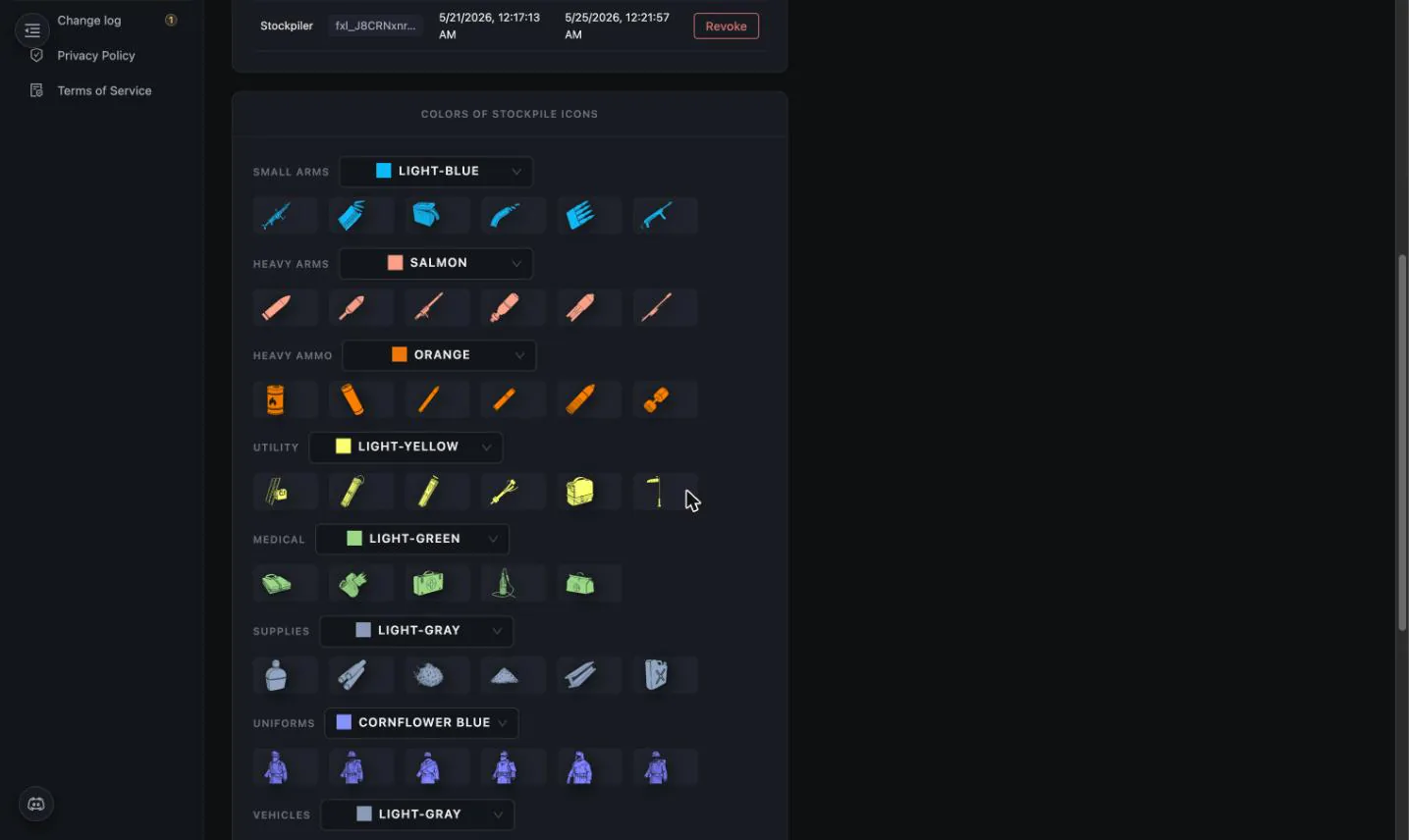
Every item category gets a colour, applied consistently everywhere item icons appear — stockpile contents, request grids, task lists, bunker garrisons, the total report.
Defaults:
| Category | Colour |
|---|---|
| Small Arms | Light-Blue |
| Heavy Arms | Salmon |
| Heavy Ammo | Orange |
| Utility | Light-Yellow |
| Medical | Light-Green |
| Supplies | Light-Gray |
| Uniforms | Cornflower Blue |
| Vehicles | Light-Gray |
This is not decoration. A stockpile grid holds sixty item types; colour is what lets you scan it and see "almost no green — we're out of medical" without reading a single label. Because the setting is per-user, colour-blind members can pick a palette that works for them rather than squinting at the default.
Logout
The Logout button sits at the top of the page. Foxlogi authenticates via Discord OAuth — there is no Foxlogi password to manage, and regiment membership follows from Discord identity.