Timers & Supply Tunnels
One board for everything that decays. Stockpiles, squad-locked assets and supply tunnels, sorted by urgency, refreshable in one click, and shareable with allies.
What problem it solves
Foxhole quietly deletes things you stop paying attention to. A stockpile despawns 48 hours after the last refresh. A squad-locked battleship, battle tank, crane or dry dock does the same. A supply tunnel network stops working the moment its maintenance supplies run out.
Losing a large ship because the one person who knew its timer was asleep is a genuinely regiment-breaking event — dozens of hours of work gone with no warning and no way to appeal.
The improvised fix is a spreadsheet of timers that goes stale within a day, or a Discord message thread that scrolls away. Foxlogi keeps a single board, always current, that anyone on shift can read in five seconds.
The unified board
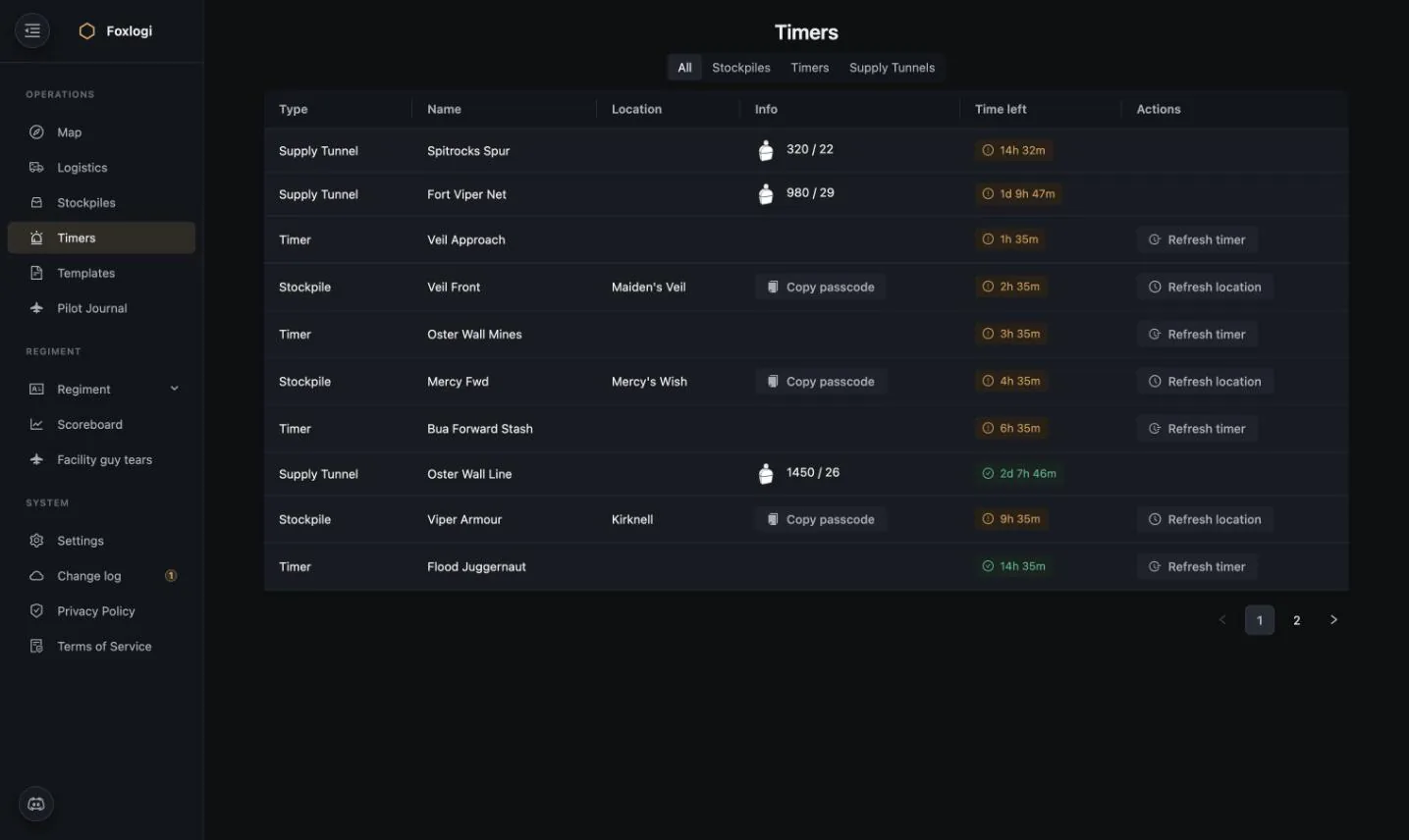
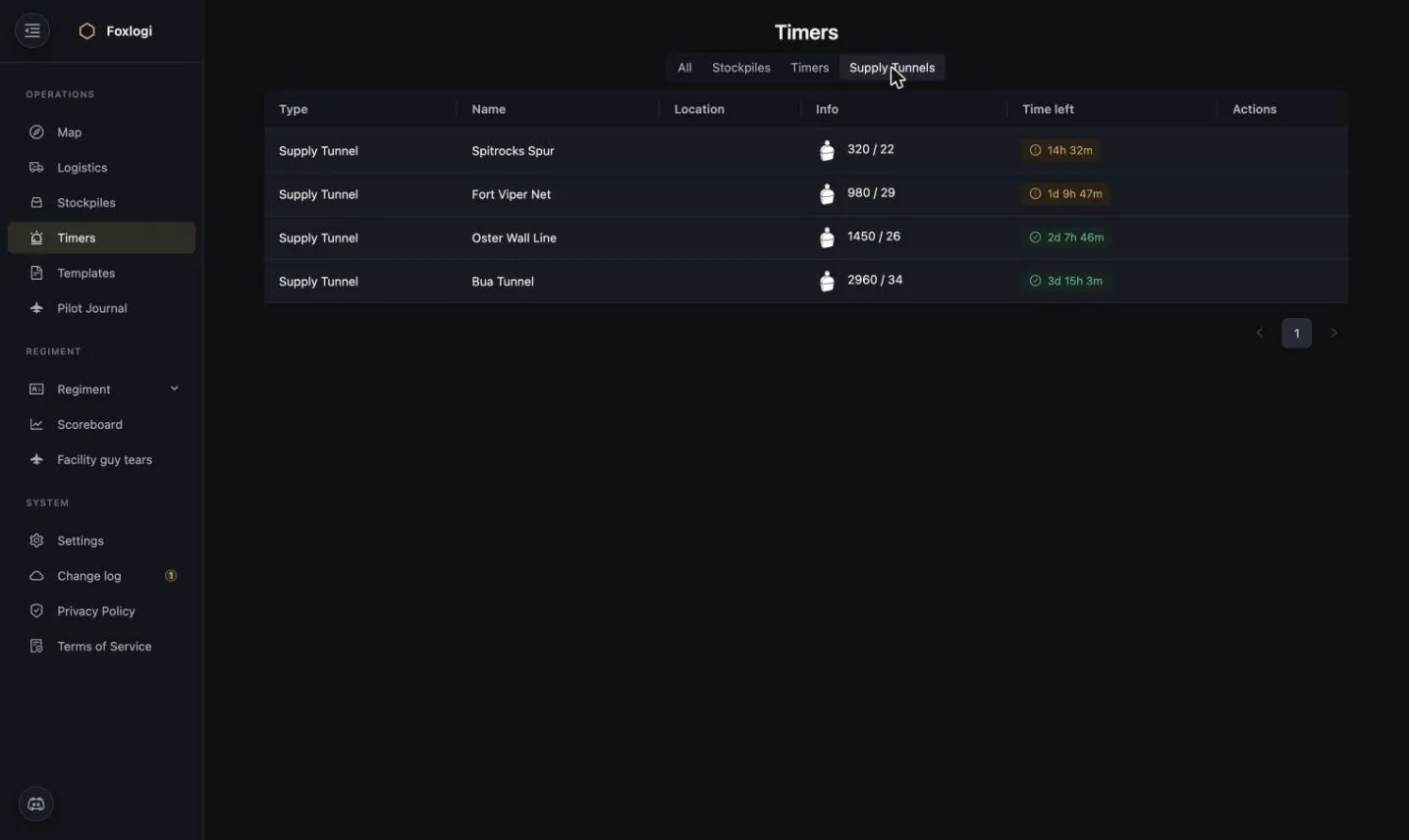
The All tab merges all three timer kinds and sorts by time remaining — the most urgent thing your regiment owns is always the top row.
| Column | Notes |
|---|---|
| Type | Stockpile / Timer / Supply Tunnel |
| Name | Yours to choose — Veil Front, HMS Ardent, Bua Tunnel |
| Location | The depot, for stockpiles |
| Info | Passcode copy button for stockpiles; msupp stock / burn rate for tunnels |
| Time left | Green = healthy, amber = act soon |
| Actions | Refresh location (all piles at a depot) or Refresh timer (one asset) |
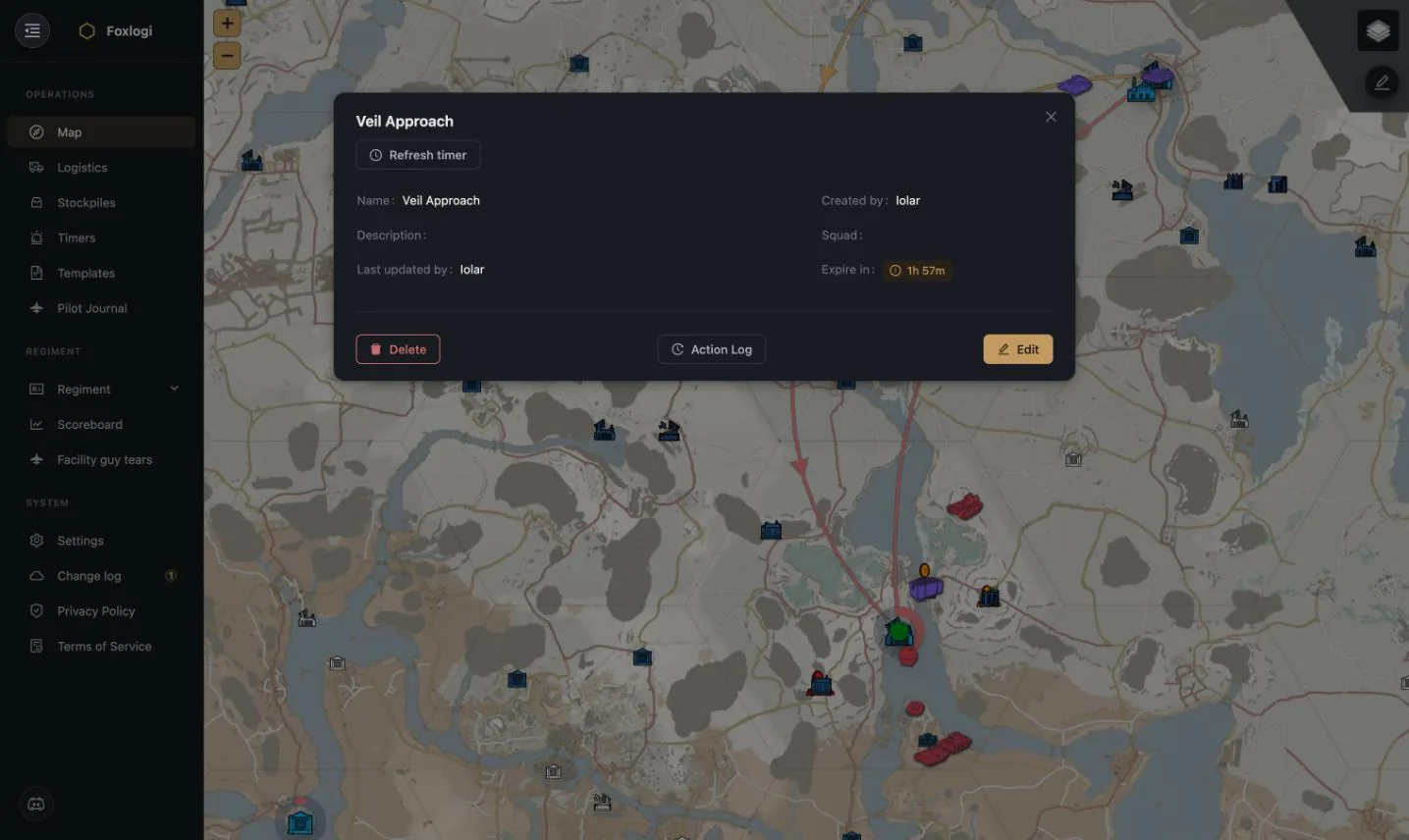
Refreshing from this page is the whole point: you drive out, touch the thing in game, and tap one button — no hunting for which row, no editing a spreadsheet.
Squad-locked asset timers
The Timers tab covers everything that isn't a stockpile or a tunnel.
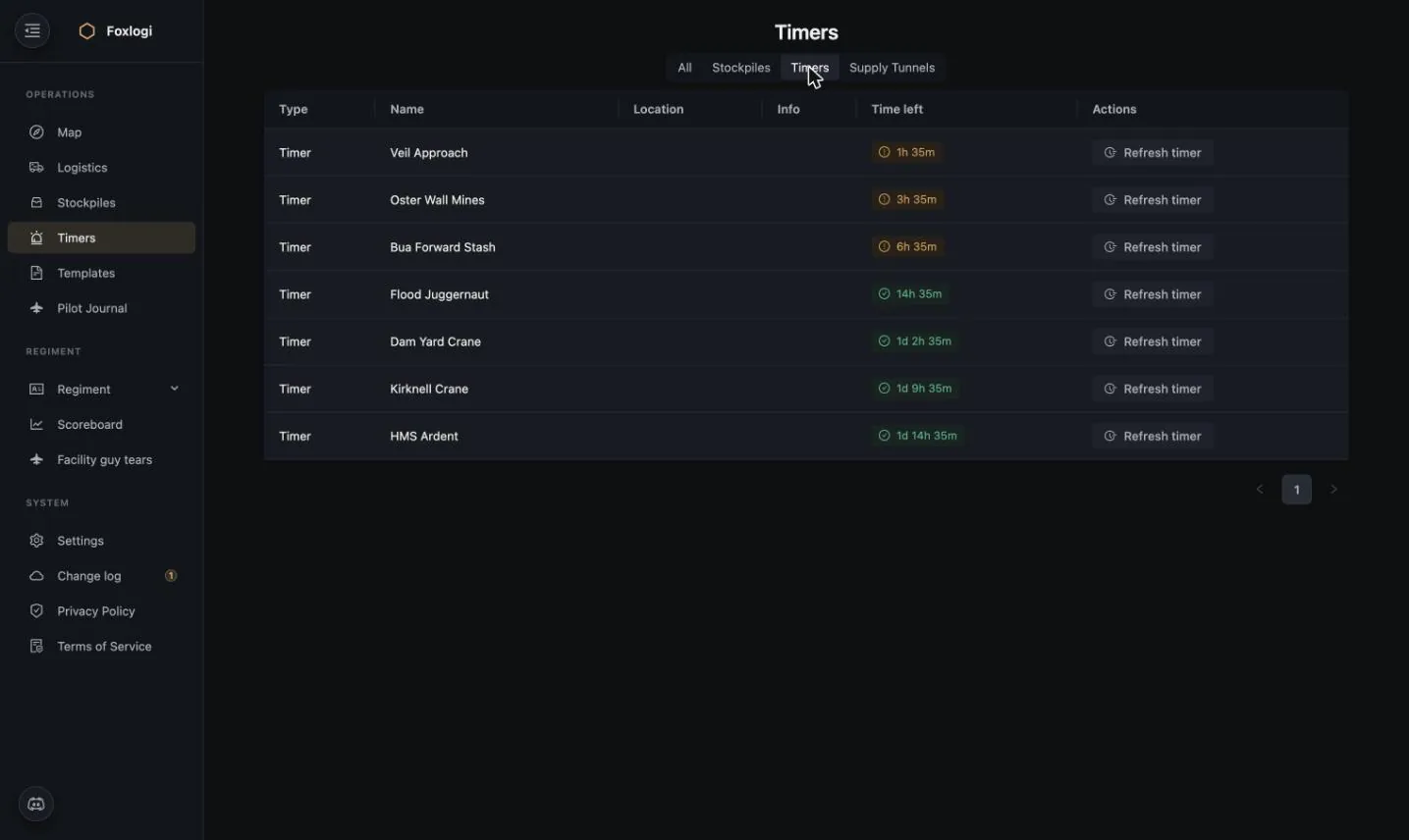
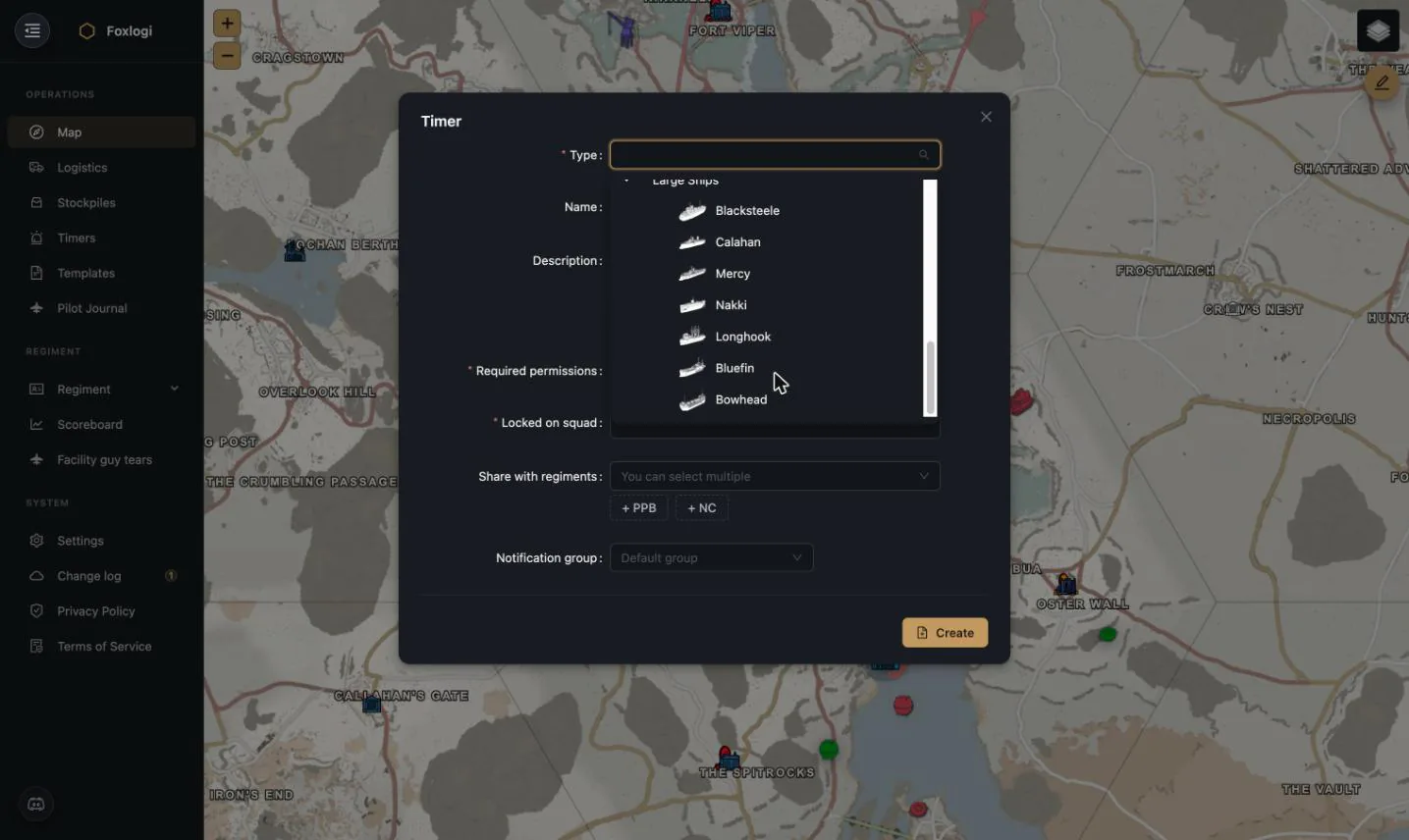
Creating one — from the map's edit mode right-click menu, or directly:
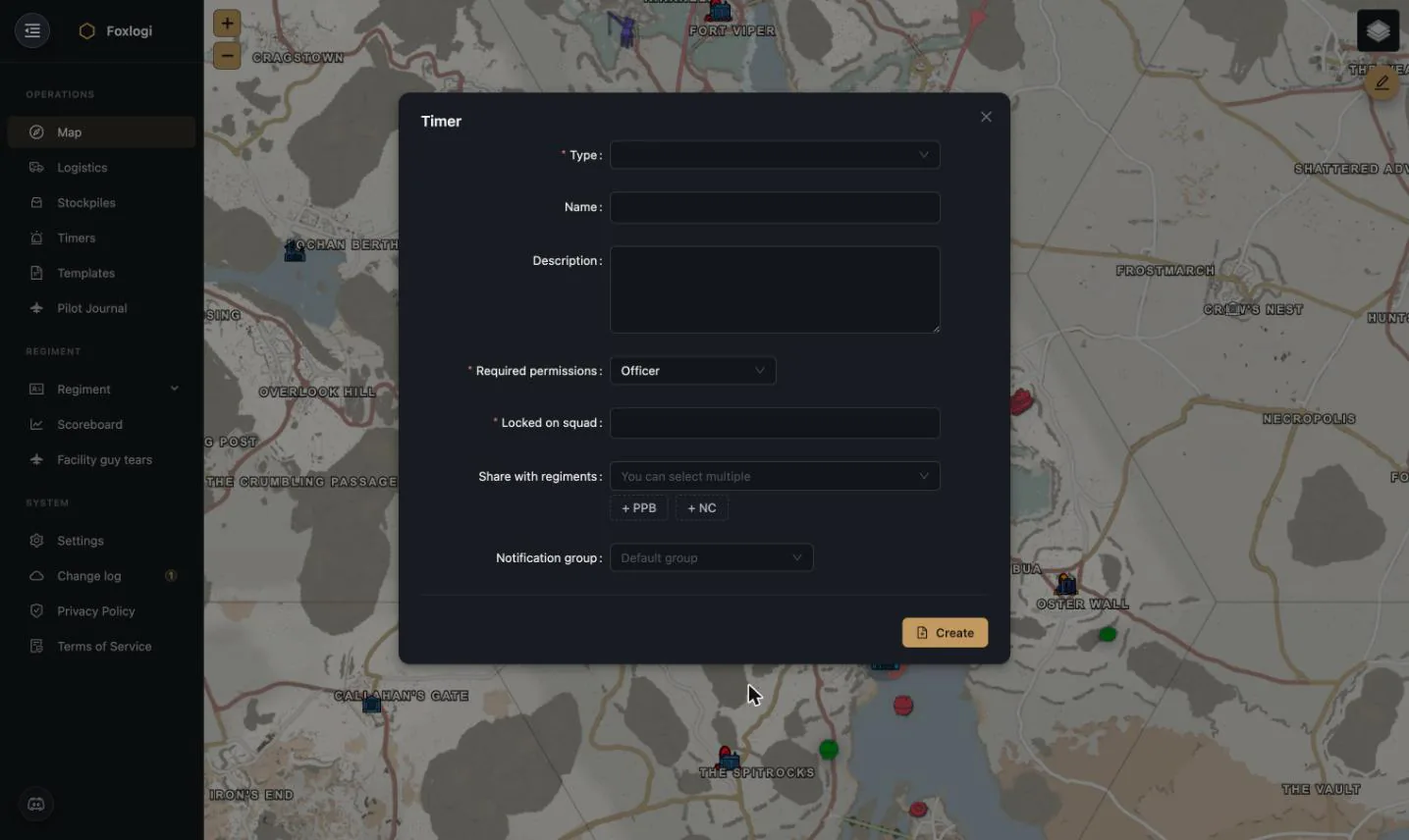
| Field | Purpose |
|---|---|
| Type | The asset class (see below) |
| Name | What your regiment calls it |
| Required permissions | Minimum level to see and refresh it |
| Locked on squad | The in-game squad the asset is locked to — critical, because only that squad can refresh it |
| Share with regiments | Named allies, or + NC for the whole coalition |
| Notification group | Which Discord channel/roles get the alert |
Asset types
Types are grouped and follow your faction:
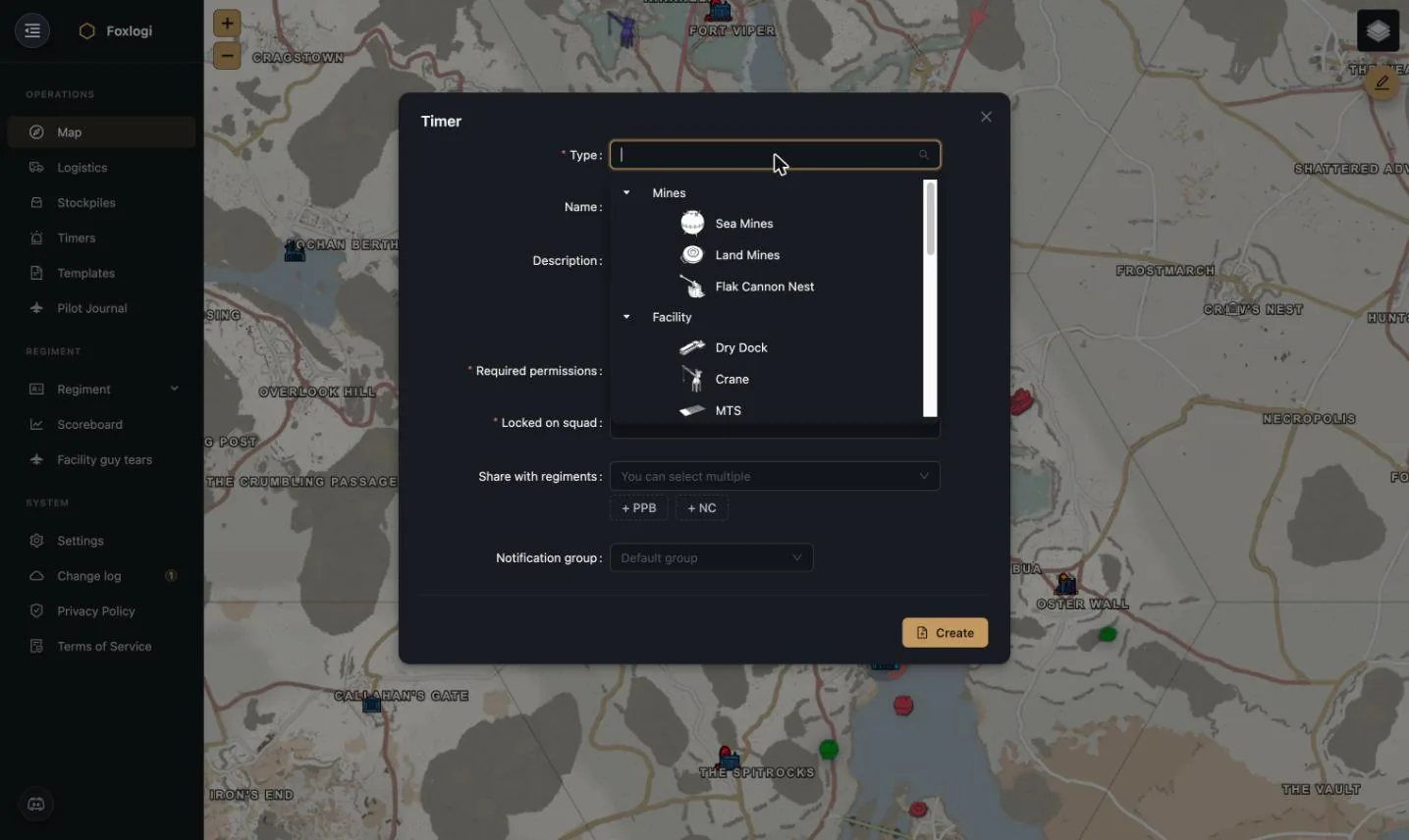
- Mines — Sea Mines, Land Mines, Flak Cannon Nest
- Facility — Dry Dock, Crane, MTS, Stash
- Battle Tanks & RSC — Warden: Flood, Juggernaut, Stain, Predator, RSC · Colonial: Hasta, Lance, Sarissa, Ares, RSC
- Large Ships — Warden: Blacksteele, Calahan, Mercy, Nakki, Longhook, Bluefin, Bowhead · Colonial: Destroyer, Titan, Poseidon, Trident, Longhook, Bluefin, Bowhead
Squad locks
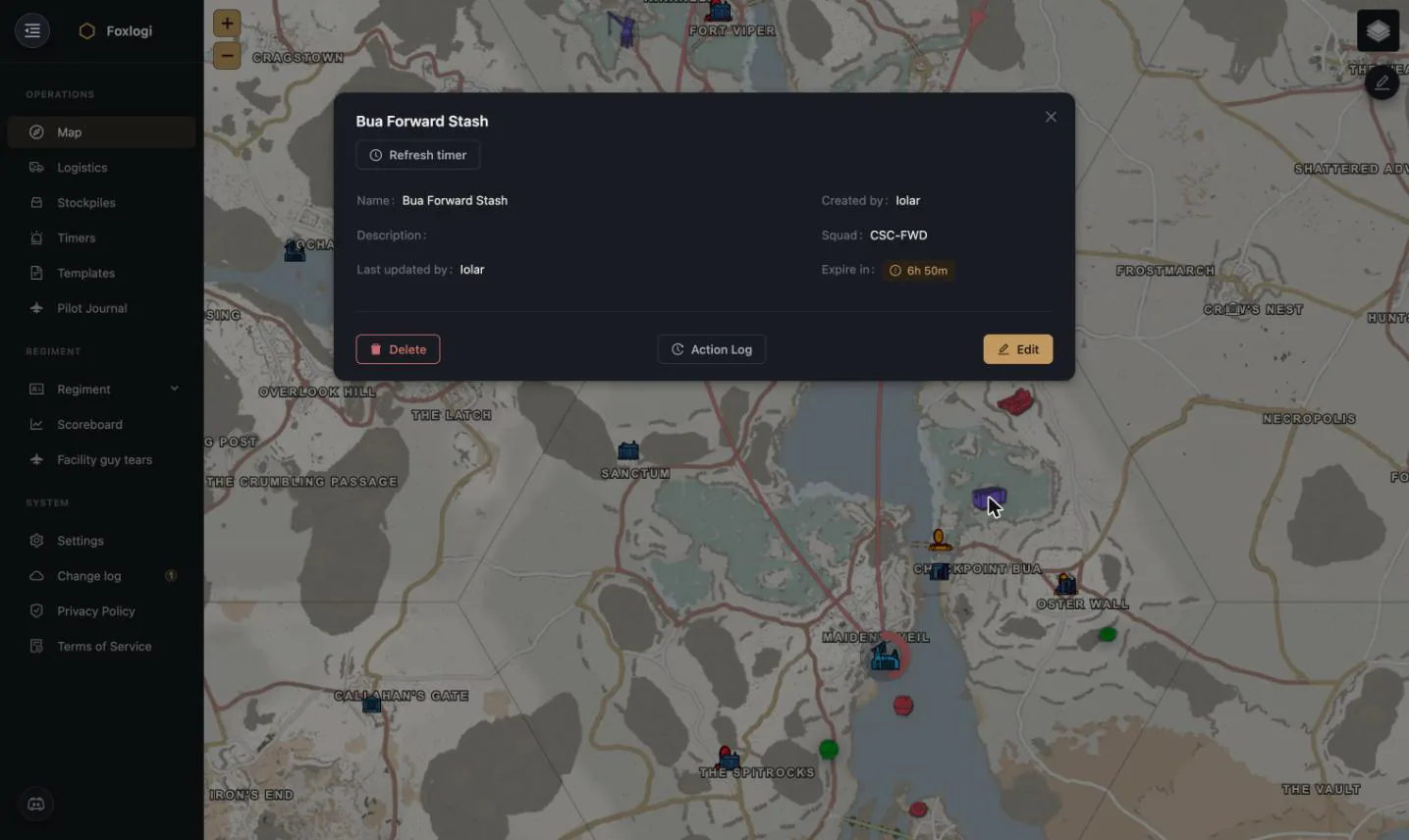
The Squad field is what makes these timers actionable. A large ship locked to CSC-NAVY
can only be refreshed by someone in that squad — so the alert has to reach the right people,
not just anyone online. Recording the squad on the timer means whoever picks up the alert
knows immediately whether they can help or need to wake someone who can.
Every timer also carries an Action Log, so you can see who has been refreshing it and who quietly stopped.
Supply tunnels
Tunnels don't run on a clock — they run on maintenance supplies, burned at a rate that depends on how much tunnel network you're keeping alive.
Foxlogi models it directly: supplies in stock ÷ consumption per hour = hours remaining.
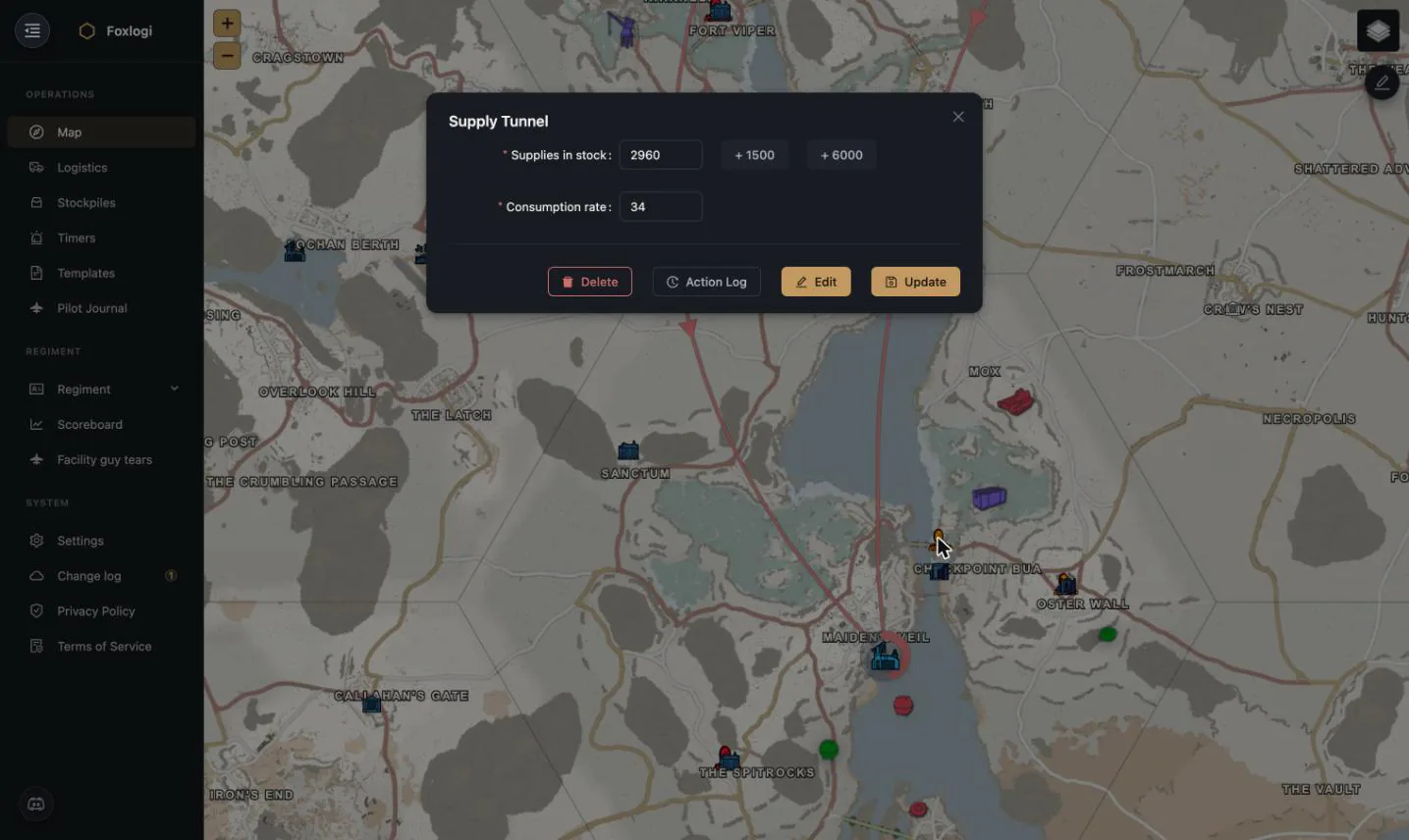
The tunnel modal takes two numbers — Supplies in stock and Consumption rate — with
+1500 and +6000 quick buttons matching real msupp delivery sizes, so topping up after a
run is two clicks. The buttons are a shortcut, not a special action: typing the new figure into
the field does exactly the same thing, and both are credited on the
Scoreboard the same way — 5 points per 1500 msups added, on
increases only.
Three thresholds, three places
Tunnels are a slow-burn problem, so they get warned about earlier and in more places than the other timers. It's worth knowing which surface is telling you what:
| Surface | Behaviour |
|---|---|
| Map icon | Grows and changes tint at 96 h of supply left, again at 48 h — a starving tunnel network is visible without opening any list |
| Timers board | The time-left tag turns amber under 48 h remaining |
| Discord | The bot alerts under 36 h, and the top-up it suggests is sized to bring the tunnel back to 48 h |
Target for planning purposes is 96 h of buffer.
How many trucks that is
Hovering a tunnel on the map shows its stock, its burn rate, the time remaining — and a count of Dunne Transport truckloads needed to top it up, at 1500 msups per truck. The target it sizes for depends on how hard the network is burning:
- Under 375 msups/hour — enough to reach roughly five days of buffer. Comfortable networks get topped up properly so nobody has to come back tomorrow.
- At or above 375 msups/hour — only enough to reach 48 h. Past that burn rate, filling to five days would need a convoy nobody is going to run, so the number stays honest about what one trip can achieve.
That single figure is the answer to "is this a truck or a barge?" without doing any arithmetic.
Creating a supply tunnel requires Senior Member or above; creating a timer requires Officer. Both are placed from the map's edit mode.
Tunnels synced from Stockpiler need a consumption rate
A tunnel created automatically by the Stockpiler app arrives with a placeholder consumption of 1, which makes its countdown meaningless until somebody opens it and enters the real burn rate. Worth doing the first time you see one appear.
Stockpile timers
Stockpiles appear on the same board with their passcode one click away:
Refresh location resets every pile your regiment owns at that depot in one action — matching what actually happens in game when you open the depot. See Stockpiles for contents management.
Sharing timers with allies
Timers are shareable per-regiment, with a per-share notify on expiry setting. This is how coalitions cover each other's night shift: your ally can see your battleship timer and, if they're the ones awake, refresh it — or at least ping the right squad.
Because sharing is explicit and per-object, you can share the frontline stash timers everyone needs to know about while keeping your naval assets private. See Sharing, Coalitions & Factions.