Bunker Supply
Turns "someone should resupply the front" into a specific, doable job. Pick a bunker, pick your vehicle, and Foxlogi tells you exactly which crates to take and which nearby depot — yours or public — to take them from.
What problem it solves
Frontline resupply is the single most common logistics job in Foxhole and the one with the worst tooling. A member who wants to help asks in Discord: "what does the front need?"
Answering properly means knowing what the bunker currently holds, what it should hold for its tier, which nearby depot has the missing items, whether the asker can even open that depot, and how much fits in whatever they're driving. Nobody has that at hand, so the honest answer is usually "just bring rifles I guess" — and the bunker runs out of bandages instead.
Foxlogi computes the whole answer.
Bunkers on the map
A bunker base is placed from the map's edit mode and tracks its garrison stock like a stockpile.
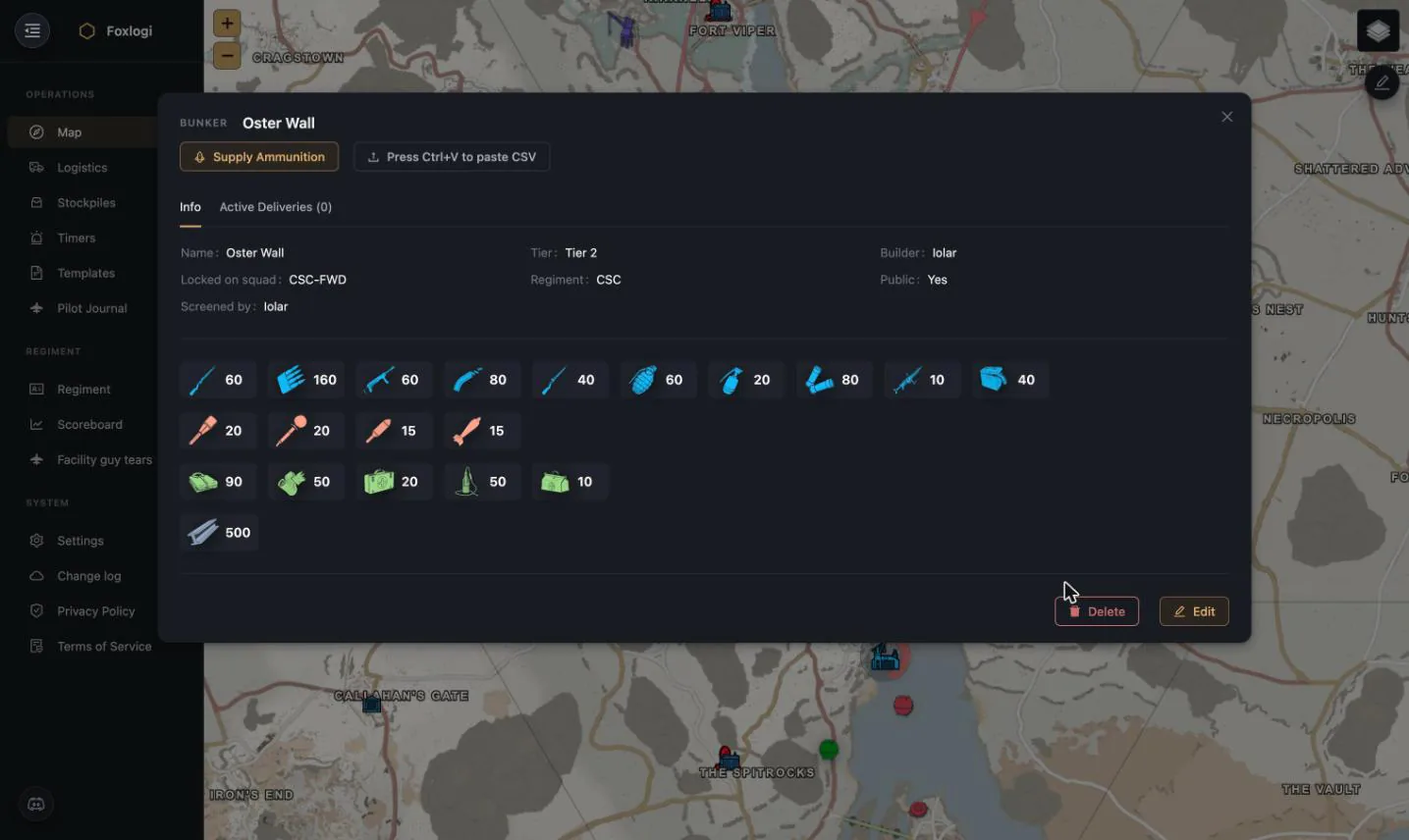
| Field | Meaning |
|---|---|
| Tier | Tier 1/2/3, Town Base, Relic Base, Border Base, Keep, Underground Fort, Safe House, Encampment |
| Locked on squad | The squad that can maintain it |
| Regiment / Public | Owner, and whether the whole faction can see and supply it |
| Screened by | Who last read its contents |
| Active Deliveries | Supply runs currently in flight to this bunker |
A higher tier means a bigger garrison and more consumption; Foxlogi also carries a supply multiplier per bunker — a slider from 0.5× to 5× in half steps — that scales every target quantity for that base. It's how you say "this one is on the hot flank, keep it at 1.5×" without touching the regiment-wide supply pyramid.
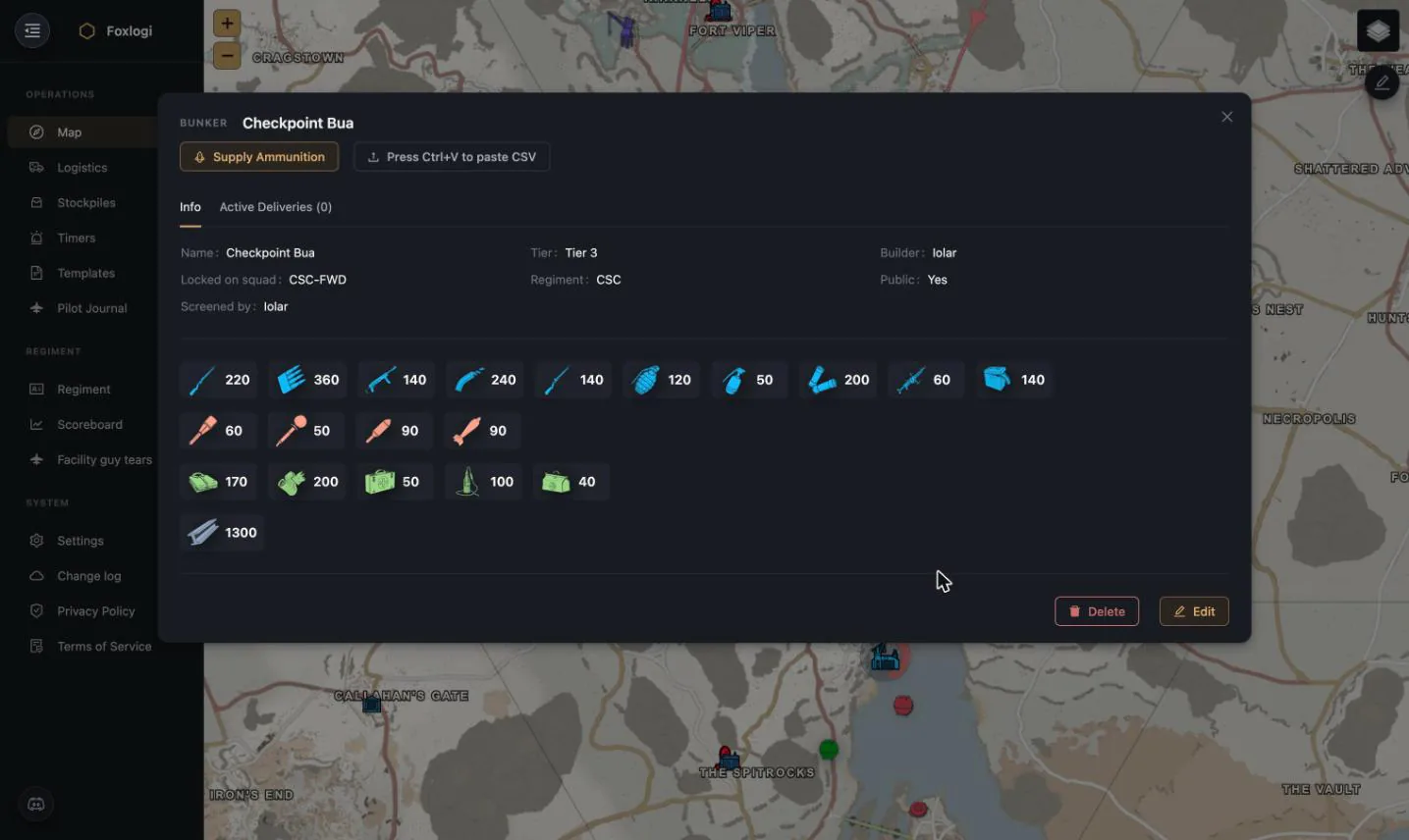
Contents arrive the same way stockpile contents do — Press Ctrl+V to paste CSV, or a screenshot of the base's tooltip pasted while its panel is open, or the Stockpiler app.
Placing a bunker from the map's edit mode is open to any member. Stockpiler can also create them for you: pin a base on the map in game and it appears in Foxlogi with its tier inferred, public, at a 1× multiplier — ready to be adjusted.
Running a supply task
Supply Ammunition starts a guided run.
1 — Preparing
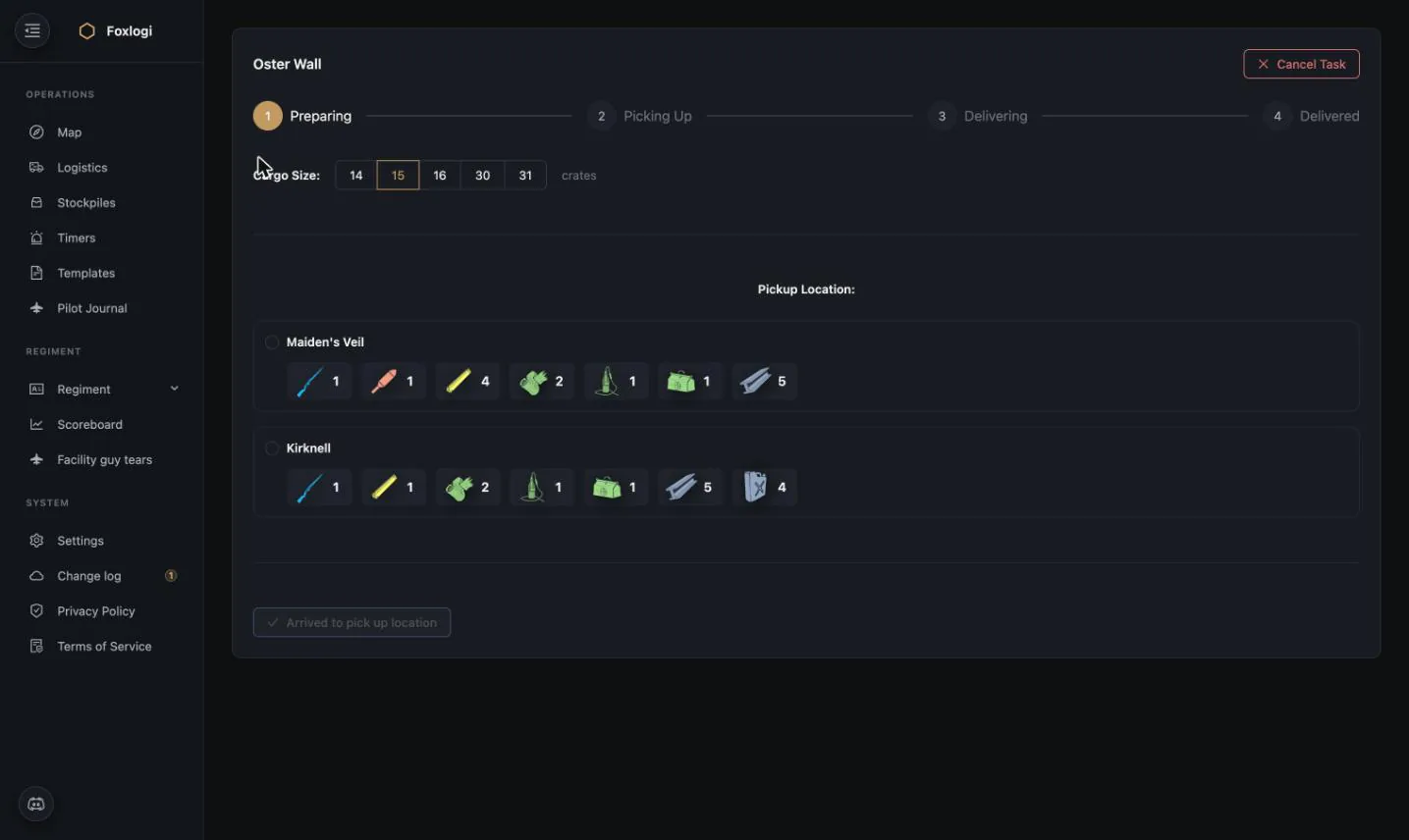
Choose your cargo size — 14, 15, 16, 30 or 31 crates, matching real Foxhole vehicle capacities — and Foxlogi offers pickup locations, each with the exact crate list it can supply from there:
This is the key piece: the planner searches depots within range of the bunker and considers both your regiment's stockpiles and public stockpiles of your faction. A member with no officer permissions and no stockpile codes still gets a runnable job, because the app can point them at a pile they can actually open.
The suggested contents are computed from the gap between what the bunker holds and what its tier and multiplier say it should hold — weighted so the most urgently missing categories fill the truck first.
2 — Picking Up
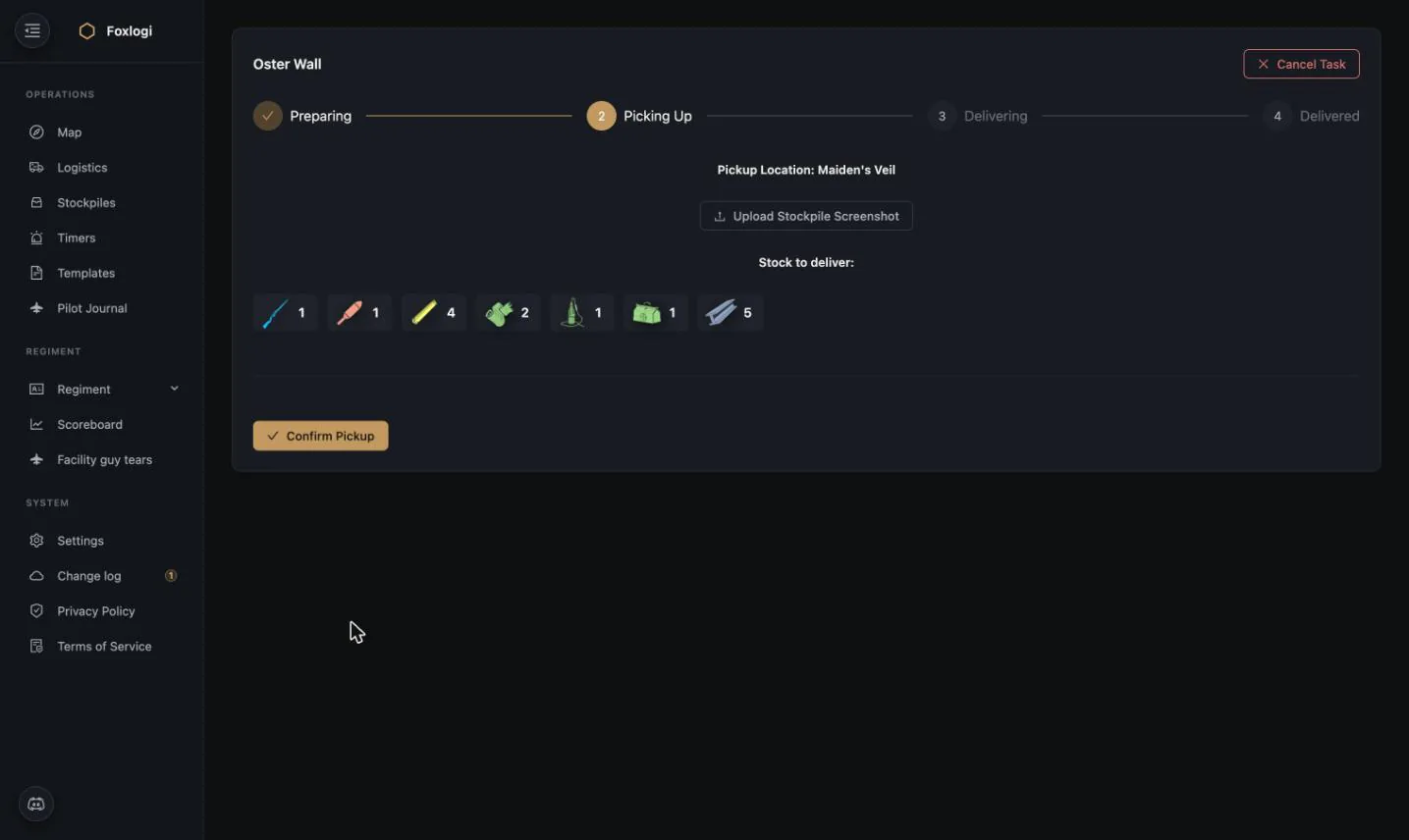
At the depot: the exact stock to pull, and Upload Stockpile Screenshot to record what was actually there. Confirm Pickup moves the task on.
3 — Delivering
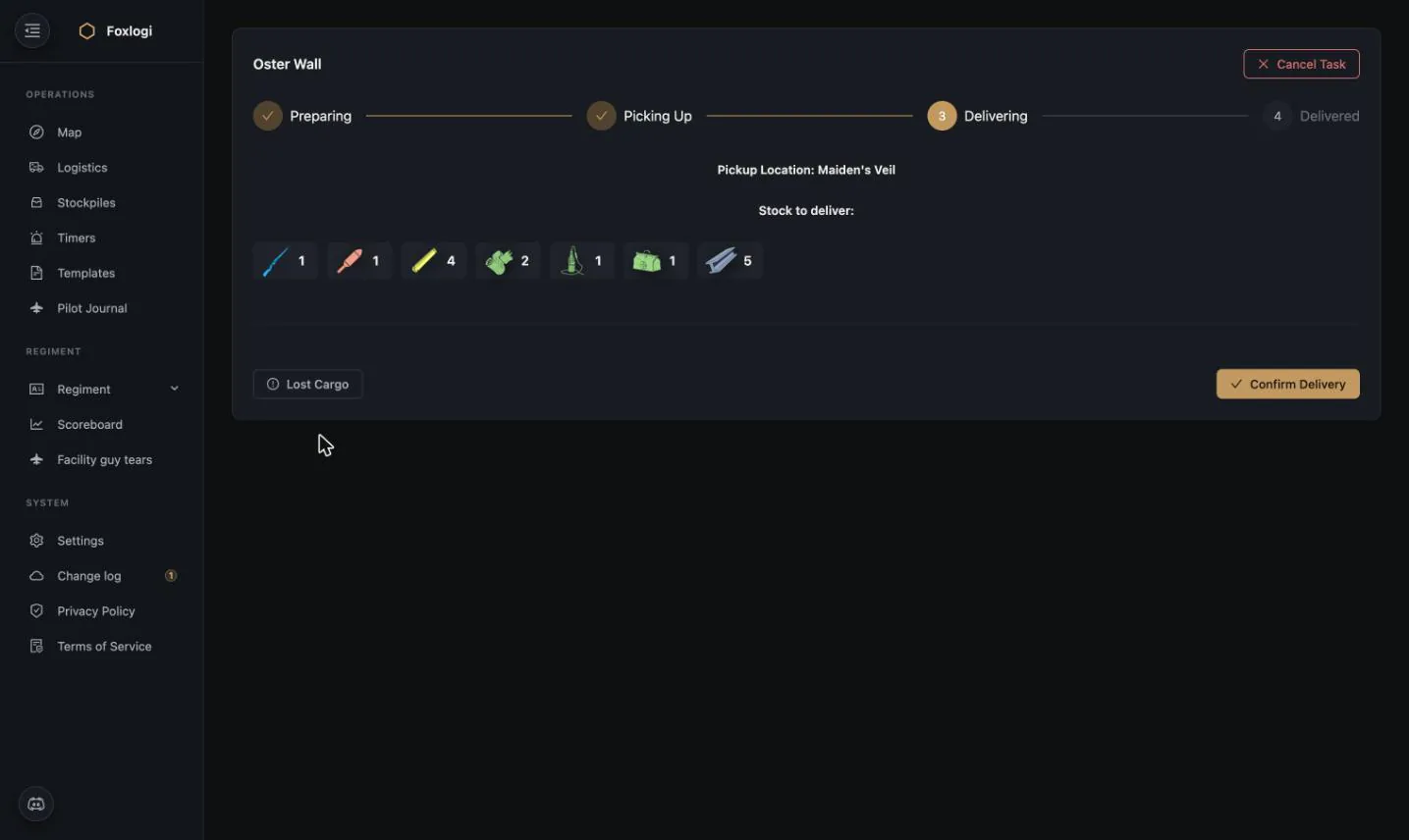
En route the driver has two honest options — Confirm Delivery, or Lost Cargo if the truck didn't make it. Recording losses matters: it keeps the bunker's expected stock accurate instead of showing supplies that are sitting in a wreck on a contested road.
4 — Delivered
The bunker's stock updates and the run is recorded. Points are awarded on a curve that rewards actually completing the run rather than clicking through the wizard.
Then Next round. It doesn't just close the task — it re-runs the planner against the bunker's new stock and hands you a fresh pickup list. Most of what a bunker needs won't fit in one truck, so the flow is built as a loop: deliver, next round, drive again, until the base is where its tier says it should be. Keep pressing it until the planner stops suggesting anything.
Tuning what gets prioritised — the Supply Pyramid
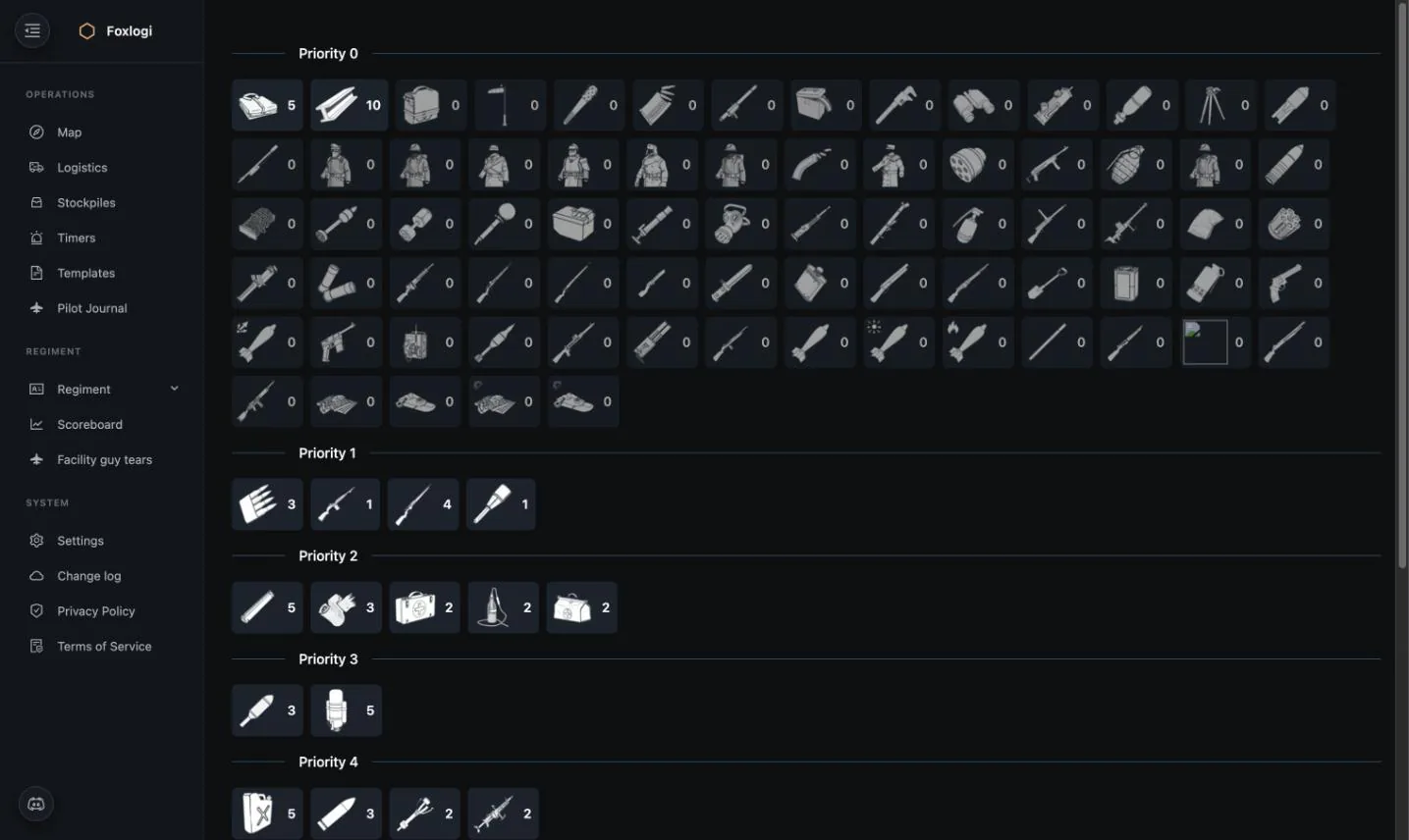
High Officers get a Supply Pyramid page that controls the planner's priorities directly. Every item carries two settings:
- Priority level — which tier it belongs to. Tier 1 items go in the truck before tier 2, tier 2 before tier 3, and so on.
- Min crates — how many of it a run should carry when it is included.
The result is a layered doctrine rather than a flat shopping list:
| Tier | Typical contents |
|---|---|
| Priority 1 | Core small arms and ammunition — the things a bunker cannot fight without |
| Priority 2 | Explosives, medical, first aid |
| Priority 3 | Sustainment — bandages, blood plasma |
| Priority 4+ | Utility, uniforms, specialist kit |
| Priority 0 | Everything not yet assigned a tier — ignored by the planner |
Items your faction hasn't unlocked yet in the current war's tech tree are filtered out automatically, so early-war runs never suggest kit that doesn't exist yet.
This is the one place where a regiment's supply doctrine is written down as data. Change the pyramid and every bunker supply suggestion changes with it — no retraining anyone.
Why it works for new members
The whole flow is designed to be the first thing a new recruit can usefully do:
- No permissions needed beyond Member
- No stockpile codes needed if a public pile can cover it
- No knowledge of the supply chain — the app picks the depot
- No judgement calls about what to bring — the app picks the crates
- Immediate visible contribution on the Scoreboard
Meanwhile officers get Active Deliveries per bunker, so they can see the front is being covered without micromanaging anyone.
Connections
- Bunker stock feeds map colouring, so a starving bunker is visible at a glance.
- Nearby depot search uses Stockpiles data — the fresher your screening, the better the suggestions.
- The Overlay app runs this exact flow in-game: find a bunker by name, get the load list, tick through the steps without alt-tabbing.