Stockpiles
Where the numbers come from. Every stockpile your regiment holds — its passcode, its contents, when it was last screened and when it expires — in one place, and rolled up into totals across any selection of depots.
What problem it solves
A Foxhole stockpile is a black box: a 6-digit passcode and whatever is inside it. To know what your regiment actually owns you have to physically stand at each depot and look.
So regiments do the obvious thing — someone screenshots the stockpile and posts it in Discord. Within hours those screenshots are stale, scattered across three channels, and nobody can answer basic questions:
- Do we have enough 7.62mm across all depots to run tomorrow's op?
- Which stockpile is about to despawn?
- What's the code for the frontline pile again? (scroll up… keep scrolling…)
- Who has been quietly hoarding rifles at the backline?
Foxlogi keeps a live inventory instead.
The location panel
Clicking any depot on the map opens its location panel. Tabs across the top are: the active request, Total for the location, then one tab per stockpile, then Public.
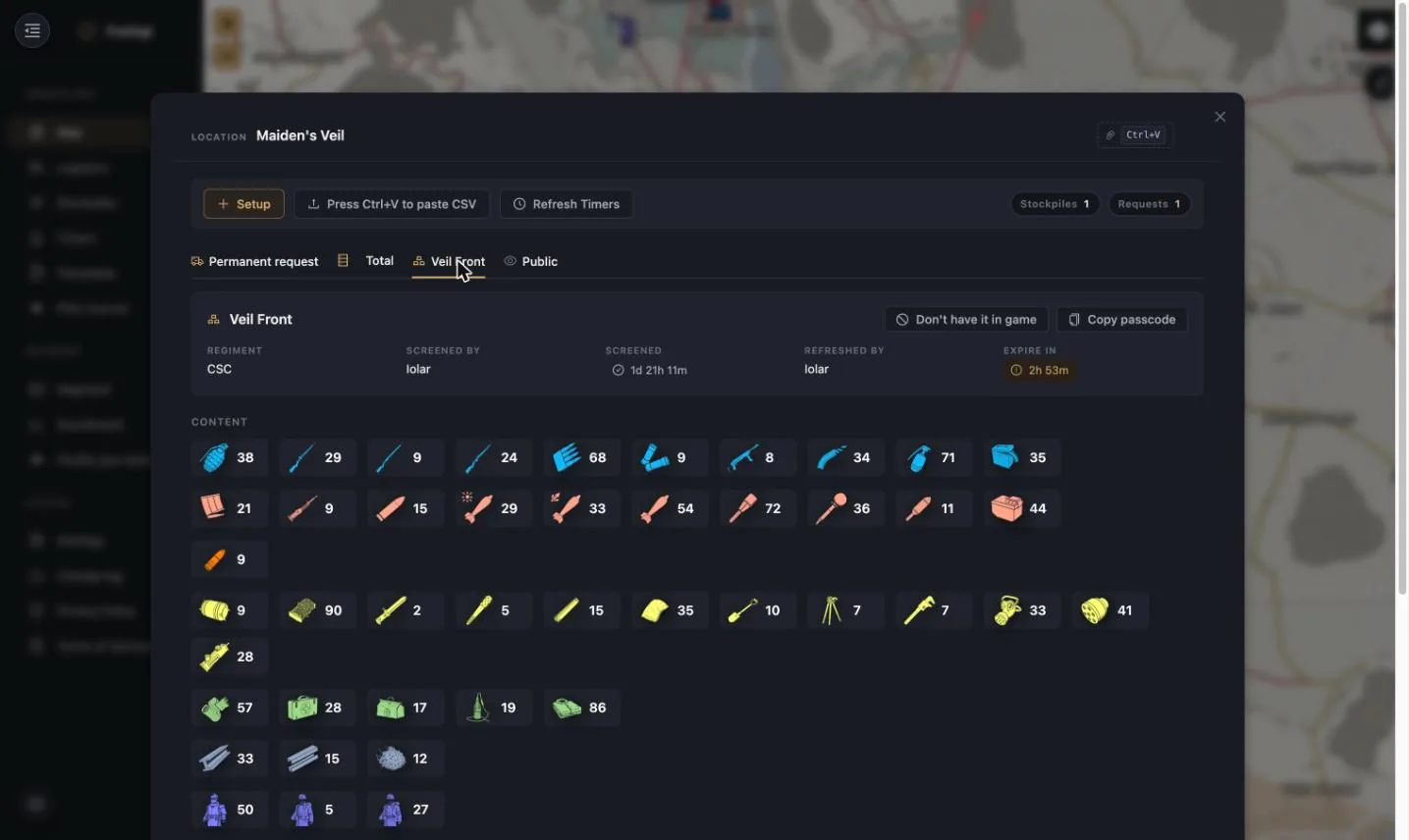
The stockpile tab shows everything that matters about one pile:
| Field | Why it matters |
|---|---|
| Regiment | Who owns it — yours, or an ally who shared it |
| Screened by / Screened | Who last read its contents, and how long ago. Old screening = untrustworthy numbers |
| Refreshed by / Expire in | The despawn clock. Foxhole gives 48 hours from the last refresh |
| Copy passcode | One click, straight to clipboard |
| Don't have it in game | Flag a pile that no longer exists so it stops polluting the planner |
Contents are drawn as the game's own item icons, colour-coded by category (small arms, heavy arms, heavy ammo, utility, medical, supplies, uniforms, vehicles). Those colours are configurable per user in Settings.
Location totals
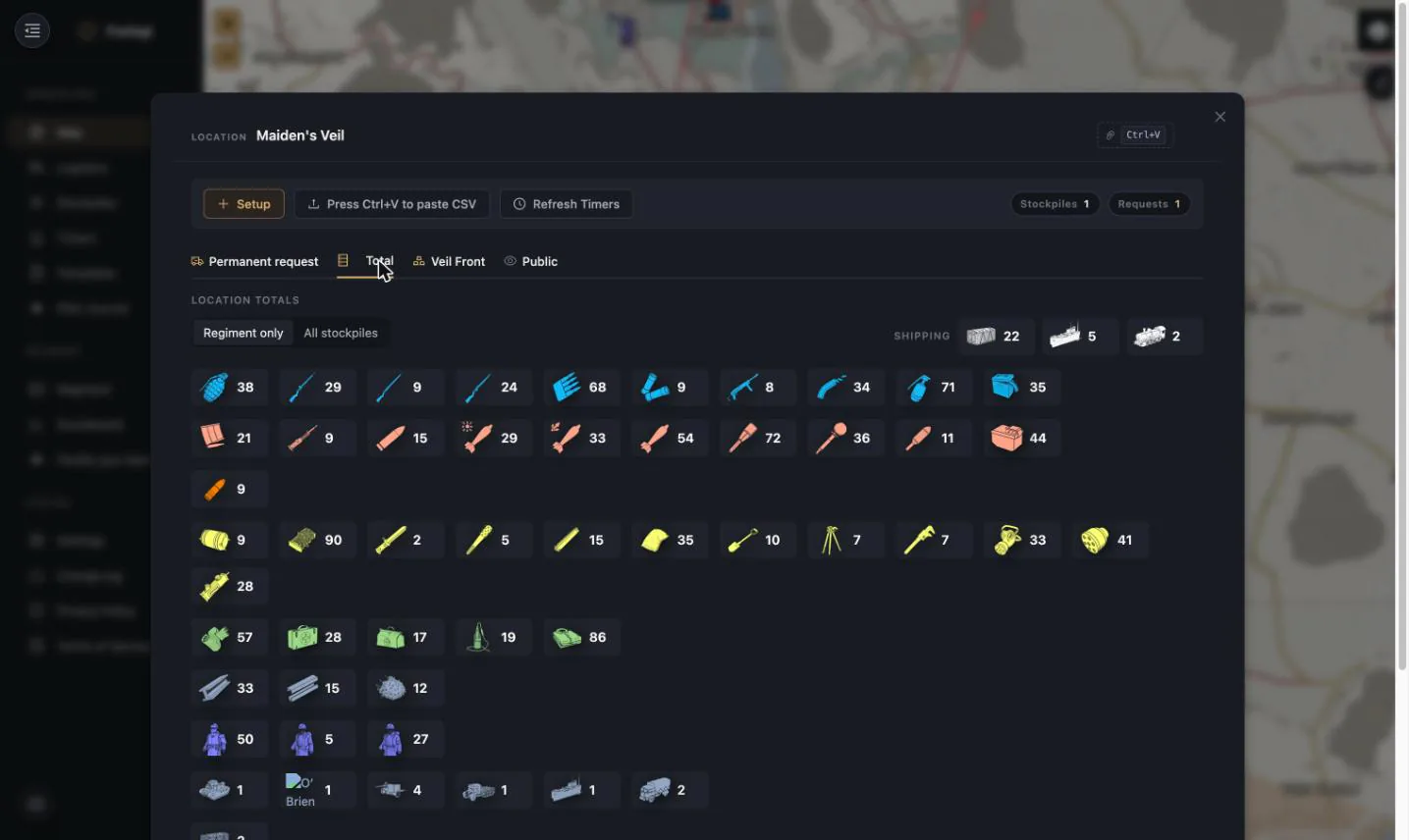
The Total tab sums every stockpile at that location, with a Regiment only / All stockpiles toggle — so you can see what you control versus what is physically sitting there including allied and public piles. Shipping requirements (containers / flatbeds / freighters) are computed for the whole total.
Public stockpiles
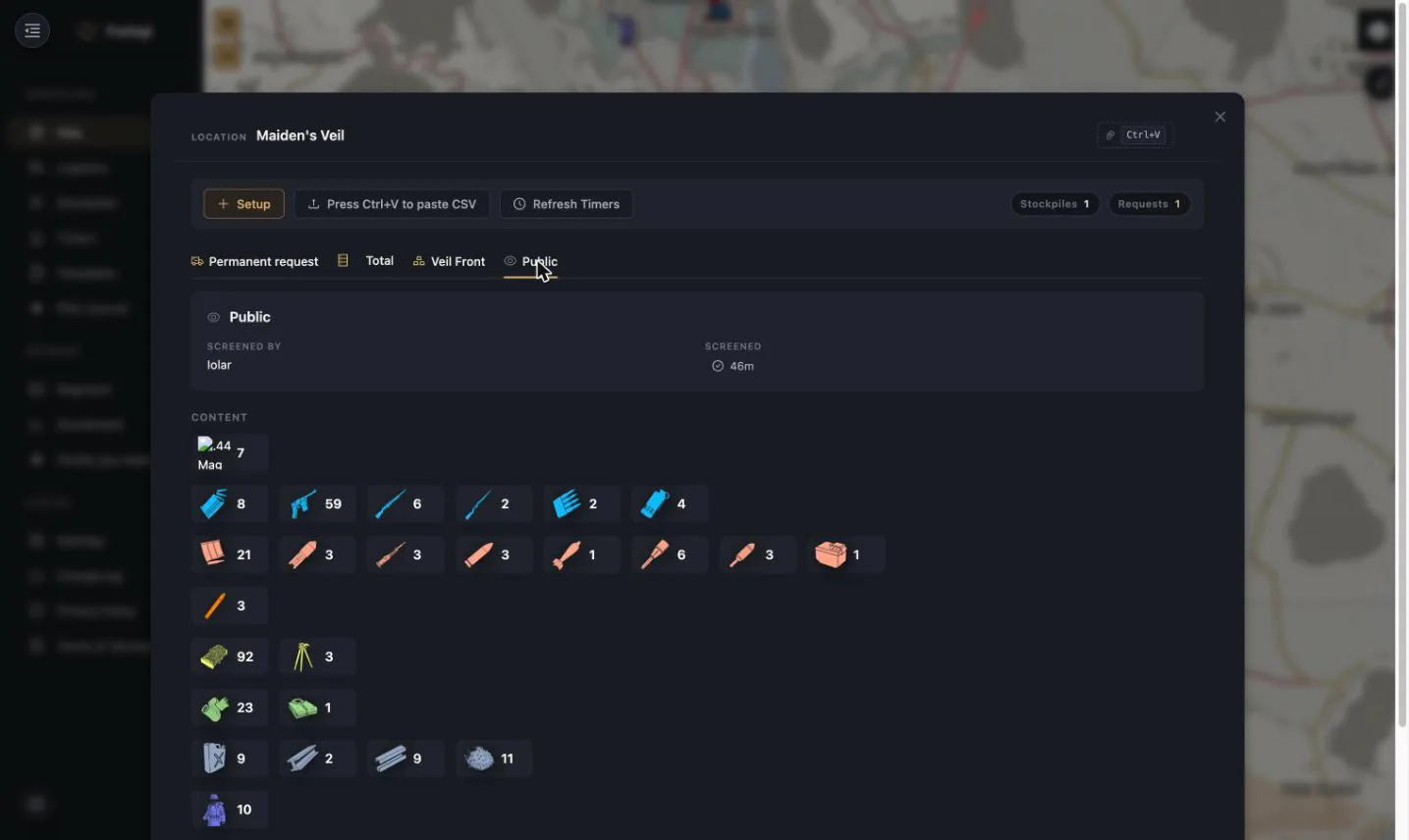
Foxlogi also tracks public stockpiles — the shared piles any friendly player can pull from. These are what makes Bunker Supply work: a driver resupplying a bunker can be pointed at a public pile they can actually open, not just at regiment stock they may not have the code for.
Public stockpiles are scoped to your faction. A Warden regiment never sees Colonial public stock.
Getting contents in
You never type stockpile contents by hand. Three ways in, in increasing order of laziness:
1. Clipboard paste
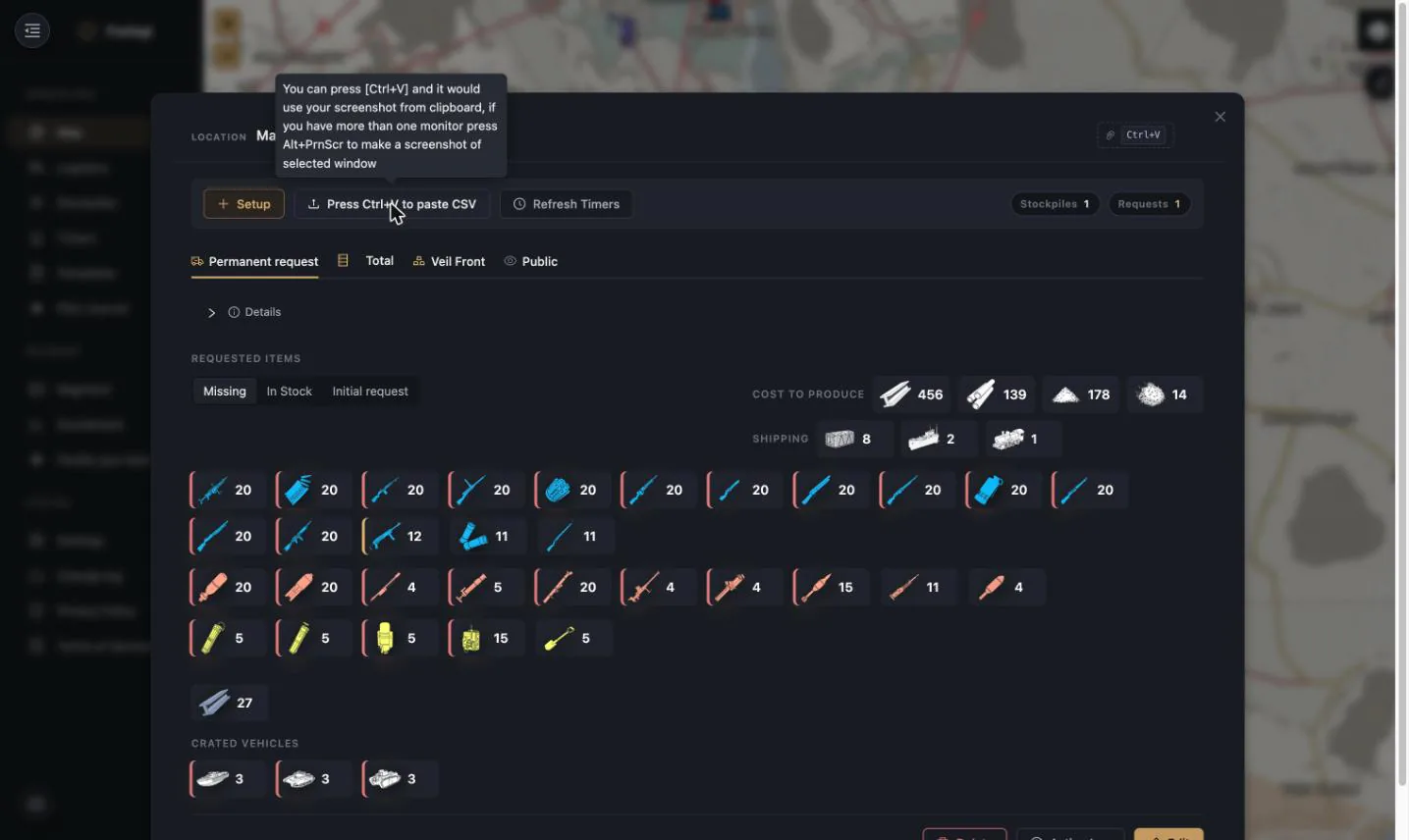
Open the stockpile in game, copy it, and press Ctrl+V anywhere in the location panel.
Foxlogi parses the game's export (TSV, CSV tolerated) and updates the pile. Screenshot paste
is supported the same way — copy a screenshot and press Ctrl+V; on multi-monitor setups
Alt+PrtScr captures just the game window.
It is a paste flow, not a file picker: the upload button opens instructions, the clipboard does the work.
Pasting also creates piles. If the pasted export names a stockpile Foxlogi doesn't know about yet, it is created on the spot from the name in the export and its edit dialog opens pre-filled, ready for you to add the passcode, access level and classification. That is the fastest way to stand up a location at the start of a war: pin the stockpile in game, copy, paste, fill in the code.
Names are how uploads find their pile
An upload is matched to a stockpile by name, so give every pile at a location a distinct name and make it match what you called it in game. Two piles sharing a name at the same depot means an update can land on the wrong one.
2. Stockpiler desktop app
The Foxlogi Stockpiler watches Foxhole's save files and pushes stockpile state to Foxlogi automatically whenever the game writes it. Set it up once and your inventory is simply always current.
3. Overlay hotkey
The Overlay binds Alt+Shift+S: open a
stockpile in game, copy, press the hotkey, done — without ever leaving fullscreen.
Every update is credited to whoever made it and shows up in the Scoreboard and Action Logs.
The Stockpiles page
The dedicated Stockpiles page is the cross-depot view.
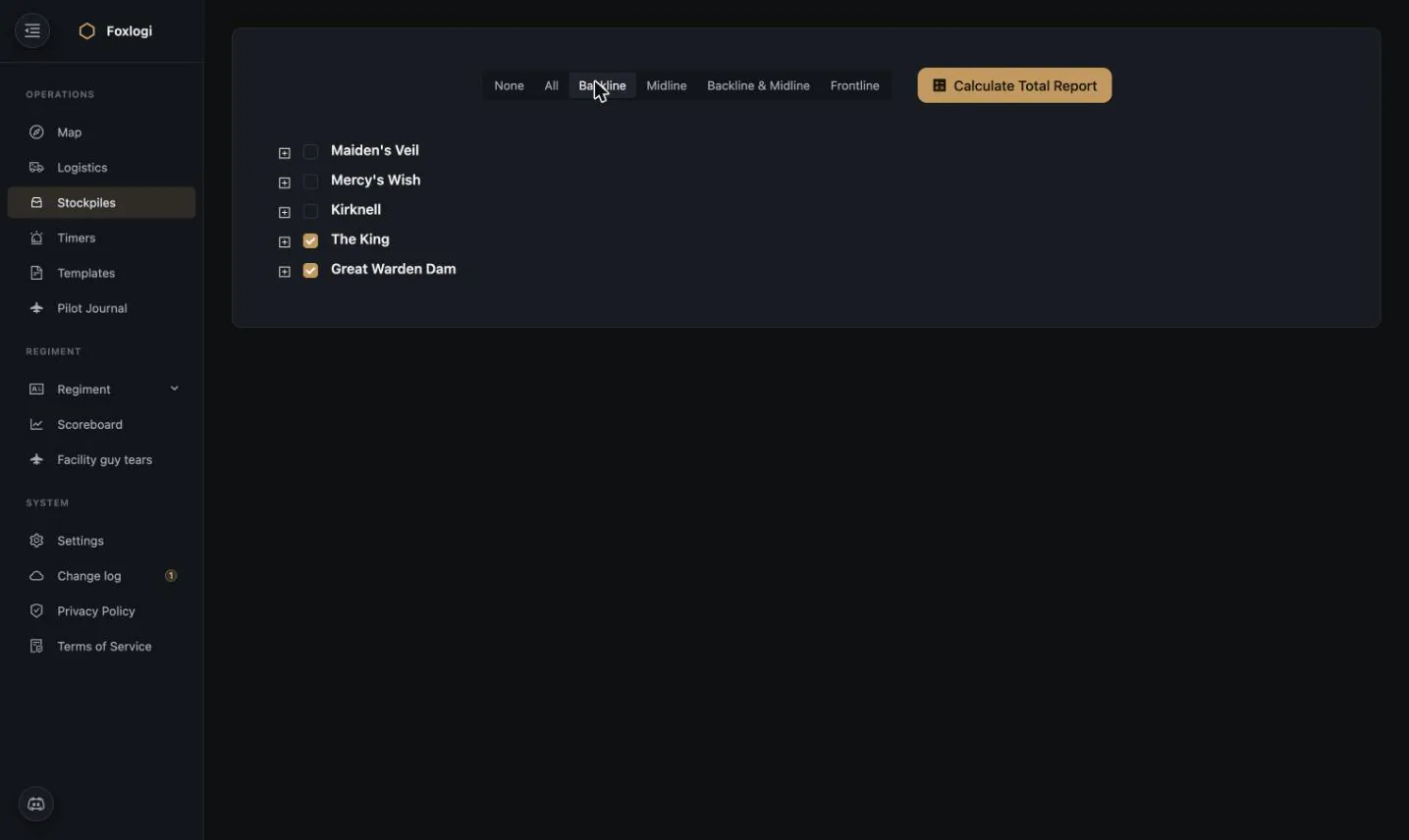
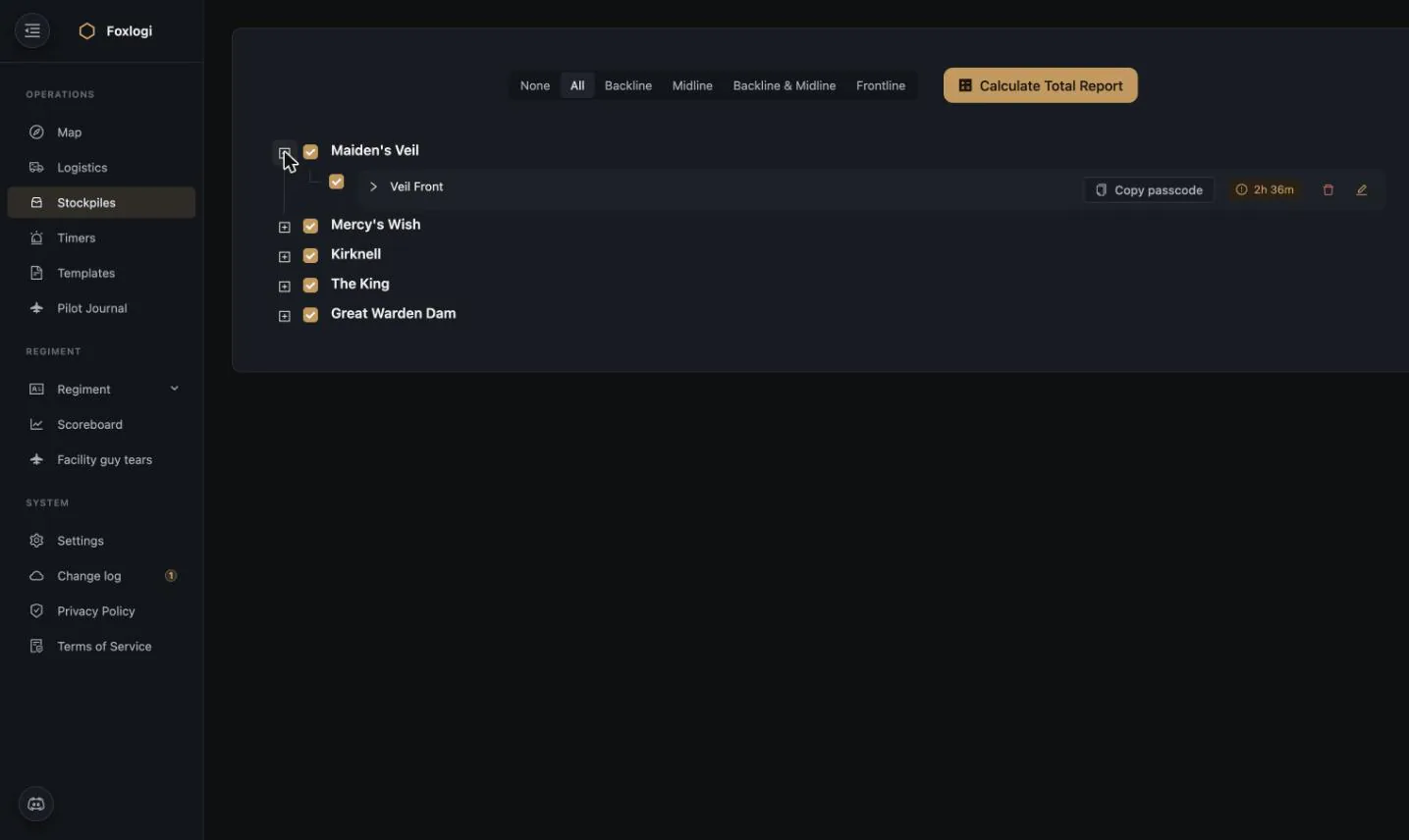
Quick-select buttons pick whole tiers of your supply chain at once — None / All / Backline / Midline / Backline & Midline / Frontline — because "what do we have in the backline?" is a question you ask constantly and "tick eleven checkboxes" is not an answer.
Expanding a location lists its piles with passcode, expiry and edit/delete controls:
Expiry colouring is immediate: green is healthy, amber is under 10 hours.
Total report
Calculate Total Report sums everything selected into one inventory:
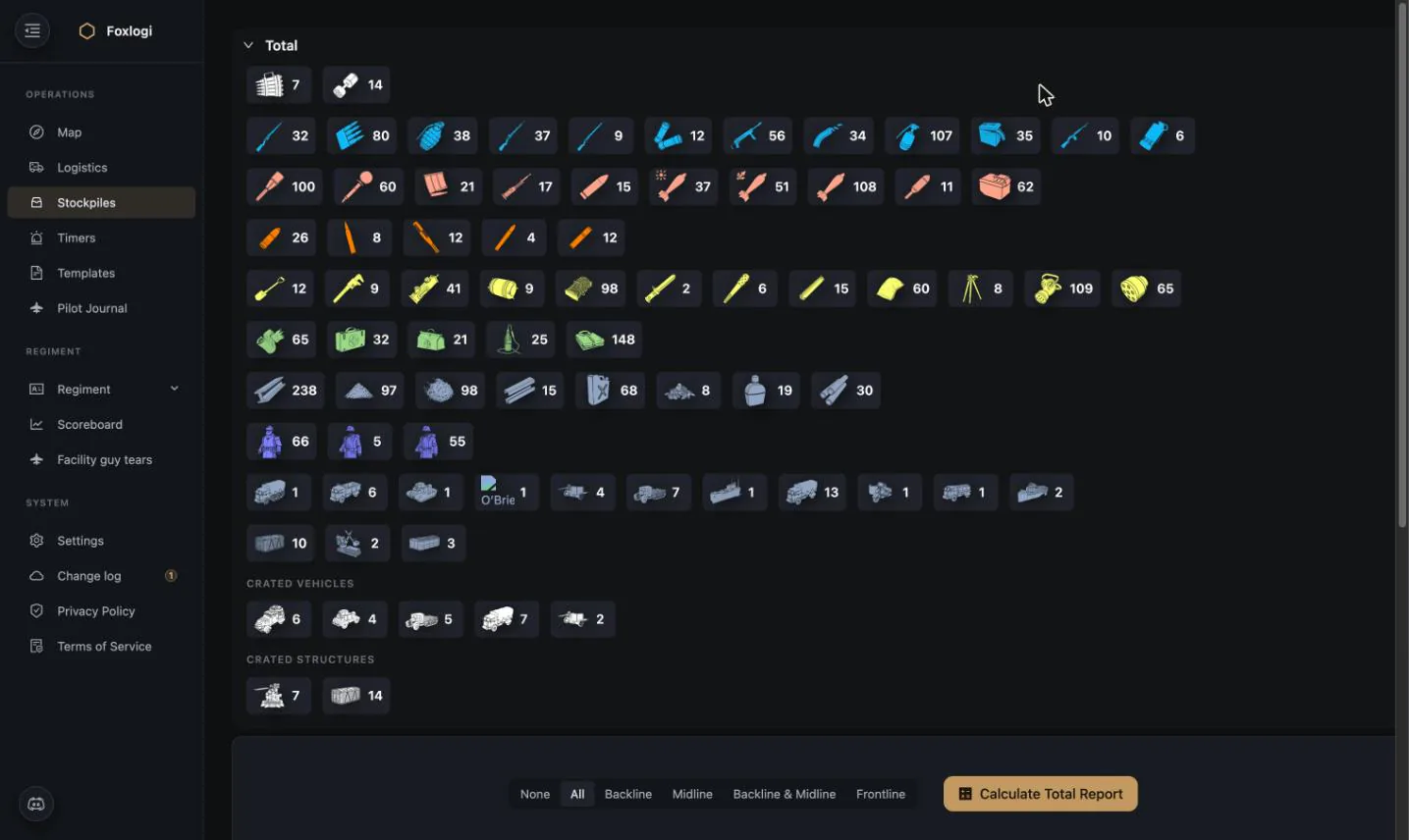
This is the answer to "can we run the op?". Select the backline and midline, hit calculate, and compare against the loadout you were going to request.
Passcode management
Stockpile codes are the thing regiments leak most often, so Foxlogi treats them as credentials rather than data:
- Access level per stockpile — a pile can require Member, Officer, or any other permission level to view its code.
- Copy passcode is logged. Every code copy is recorded, and a High Officer can see exactly who accessed which pile via Regiment → member → Accessed Stockpiles.
- Codes can be posted to Discord on a schedule into a dedicated, locked channel — see the Discord Bot Stockpile codes log.
- Sharing is per-regiment and per-setting. Sharing a pile with an ally can include or exclude it from their planner, and can be set to notify them on expiry or not — see Sharing.
Copying a passcode takes it
Copy passcode does more than put six digits on your clipboard — it registers you as someone who holds that pile's code. That matters for two reasons, and both surprise people:
- You can only refresh timers for piles you hold. Refresh location walks the stockpiles you have copied a passcode for at that depot; anything you never copied is skipped. The button is never disabled — it simply reports "There's nothing to refresh because you haven't copied any passcodes here." The app says so on the button itself: "It will refresh only the ones you requested access to by pressing Copy Pin."
- You can hold at most five passcodes per location. Taking a sixth is refused. This mirrors Foxhole's own limit on how many stockpiles one player can have open at a depot, so the app can't promise you a refresh the game won't let you perform.
If you no longer maintain a pile, drop it: "You won't refresh this stockpile anymore." frees one of your five slots.
Expiry
Foxlogi tracks the 48-hour despawn window on every stockpile:
- Refresh location (on the Timers page) resets every pile you hold a passcode for at that location at once — matching what you actually do in game, where opening the depot refreshes everything you can open there.
- Under 10 hours the row turns amber.
- Under 9 hours the Discord bot pings the configured channel and roles.