Regiment Management
Who can see what, who did what. Permission levels, member administration, stockpile-code auditing and a full action log of everything the regiment changed this war.
What problem it solves
A regiment is not a flat group. A recruit who joined an hour ago should not have the passcode to the backline reserve; the logi officer needs to reconfigure the supply chain; the regiment lead needs to know who leaked a code when a stockpile gets raided.
Foxhole gives you none of this. Discord roles are the usual proxy, but they don't extend to your logistics tooling — so most regiments end up with a spreadsheet everyone can edit and a codes channel everyone can read.
Permission levels
Foxlogi has eight levels. Lower number = more access.
| Level | Value | Typical use |
|---|---|---|
| None | 999 | Logged in via Discord, not yet approved |
| Recruit | 900 | Read-only newcomer |
| Member | 500 | Normal member — stockpiles, timers, bunker supply, logistics tasks |
| Senior Member | 450 | Trusted with more sensitive stockpile codes |
| Trusted Member | 400 | + Facility Tears |
| Officer | 300 | + Regiment view, action logs, templates, logistics settings |
| Trusted Officer | 250 | Senior officer tier |
| High Officer | 200 | + Discord bot, role mapping, regiment settings, supply pyramid |
Permissions gate navigation, API access and individual objects. A stockpile or timer carries its own required permission — so you can run a regiment where Members see the frontline pile's code but only Officers see the backline reserve's.
What each level unlocks
Levels are cumulative: everything a level can do, every level above it can do too.
| Level | Gains |
|---|---|
| Recruit | View passcodes of stockpiles set to Recruit level; update stockpile and bunker contents; refresh timers on piles they hold |
| Member | Passcodes set to Member level; place bunker bases on the map; run bunker supply tasks; claim logistics tasks |
| Senior Member | Passcodes set to Senior Member level; place supply tunnels and intel markers |
| Trusted Member | Passcodes set to Trusted Member level; Facility Tears |
| Officer | Place timers; create and manage logistics requests; add and delete stockpiles; request templates; the Regiment page and action logs; logistics settings (the MPF list) |
| Trusted Officer | Passcodes set to Trusted Officer level — a senior tier for codes an Officer shouldn't hold |
| High Officer | Manage members and their levels; Discord bot setup and role mapping; regiment settings (faction, default language); the supply pyramid |
The levels that look oddly specific — Senior Member for tunnels, Officer for timers — are that way because of what goes wrong when they aren't. A misplaced tunnel is a nuisance; a misplaced squad-locked ship timer sends the wrong people to the wrong hex at 3 AM.
Members page
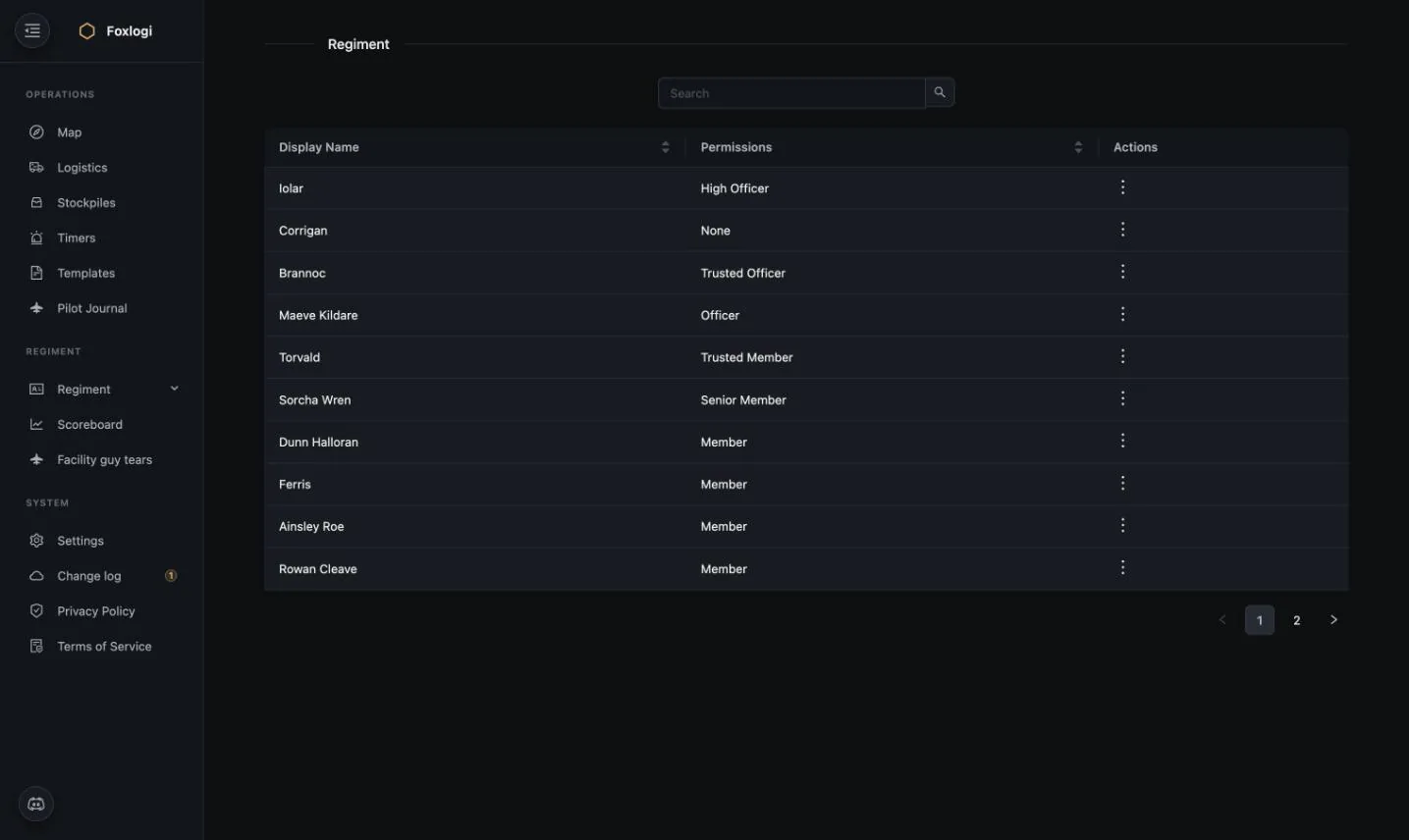
Sortable by name or permission, searchable, paginated. Corrigan sitting at None is a
member who authenticated through Discord but hasn't been approved yet — the normal
onboarding state.
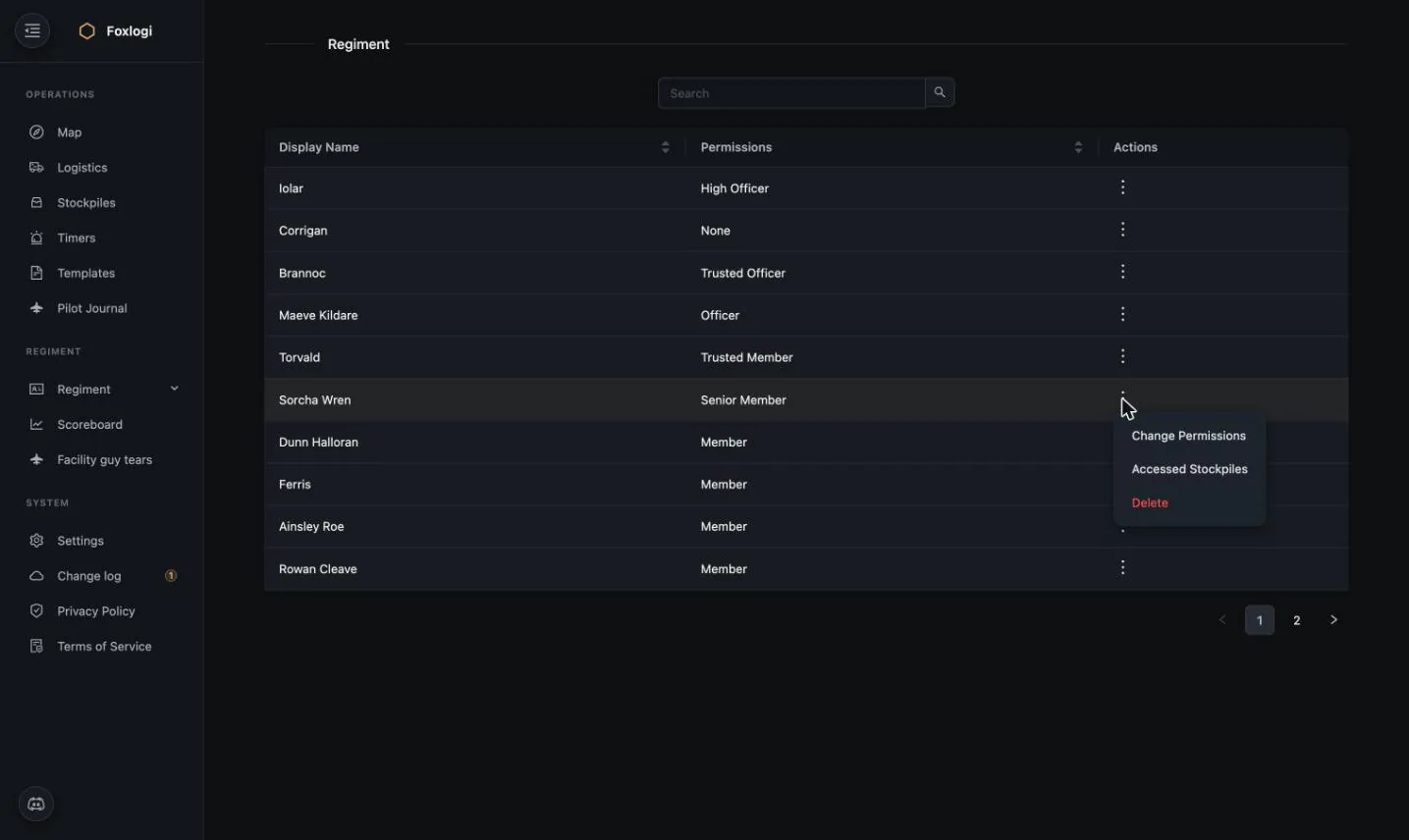
Per-member actions:
- Change Permissions — move someone up or down a level
- Accessed Stockpiles — the audit trail of which stockpile codes this member copied, and when
- Delete — remove them from the regiment
Accessed Stockpiles deserves emphasis. It is the answer to "our frontline pile got emptied by someone who shouldn't have had the code" — a question that is otherwise unanswerable and quietly poisons regiments with suspicion.
Discord role mapping
High Officers can map Discord server roles to Foxlogi permission levels, so permissions stay in sync without manual admin. When a member logs in via Discord, their level is set from the highest-priority role they hold. See the Discord Bot page.
Action logs
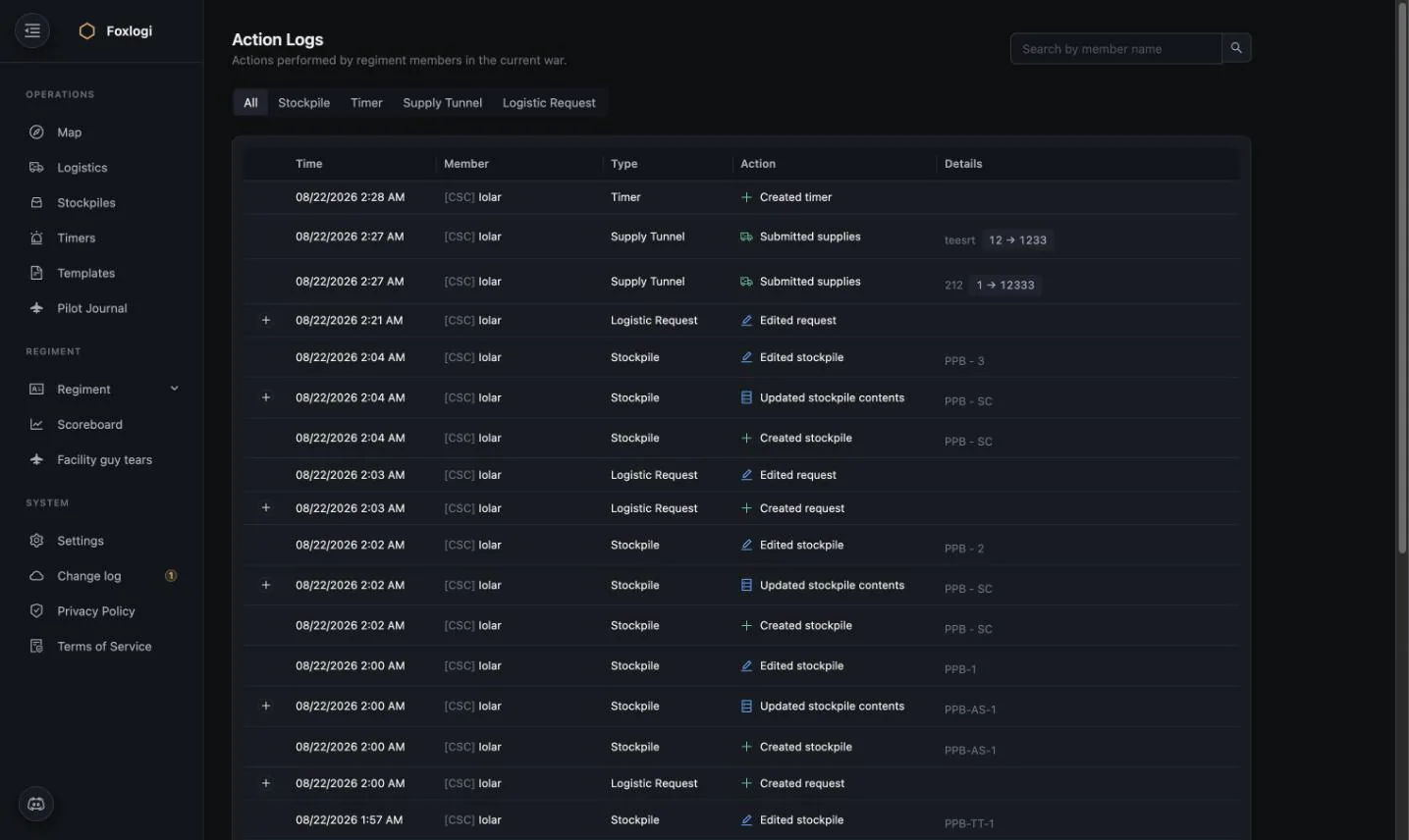
Every change a member makes to regiment data this war, in one auditable feed.
Filter tabs: All / Stockpile / Timer / Supply Tunnel / Logistic Request, plus search by member name.
Logged actions include:
- Created / edited / deleted stockpiles
- Updated stockpile contents (with a diff, expandable via the +)
- Created / edited timers and supply tunnels
- Submitted supplies to a tunnel — with before → after values (12 → 1233)
- Created / edited logistics requests
Rows with a + expand to show exactly what changed.
The same log is reachable from each object: every timer, tunnel, stockpile and request modal has an Action Log button showing just that item's history. When a battleship timer lapses, you don't scroll a global feed — you open the timer and see who has been refreshing it and when they stopped.
What it's for
Action logs are an investigation tool, not a performance tool. They exist so that when something goes wrong — a pile emptied, a timer missed, a request quietly deleted — there's a factual record instead of an argument. That's deliberately separate from the Scoreboard, which is capped at top-10 precisely so it can't be used to grade individuals.
Regiment settings
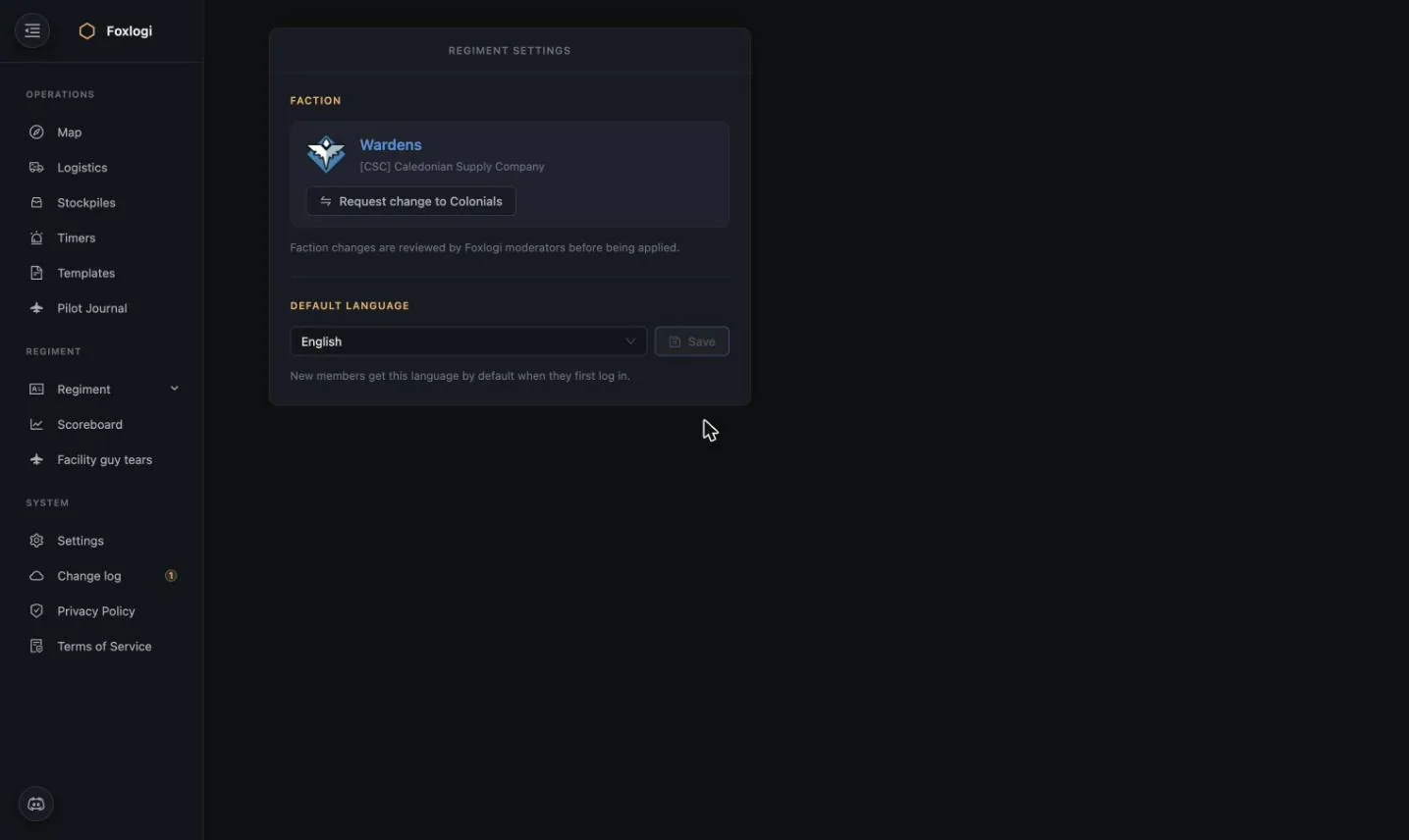
High Officer settings:
- Faction — Wardens or Colonials. Changing faction is a moderated request, reviewed by Foxlogi moderators before it applies. This is what keeps faction isolation trustworthy: a regiment can't flip sides mid-war to read the other faction's shared data.
- Default language — the language new members get on first login. Handy for regiments that aren't English-first; the UI ships in 10 languages.
Regiments themselves are approved by moderators before they can be shared with, which keeps the sharing target list free of throwaway accounts.
Logistics settings
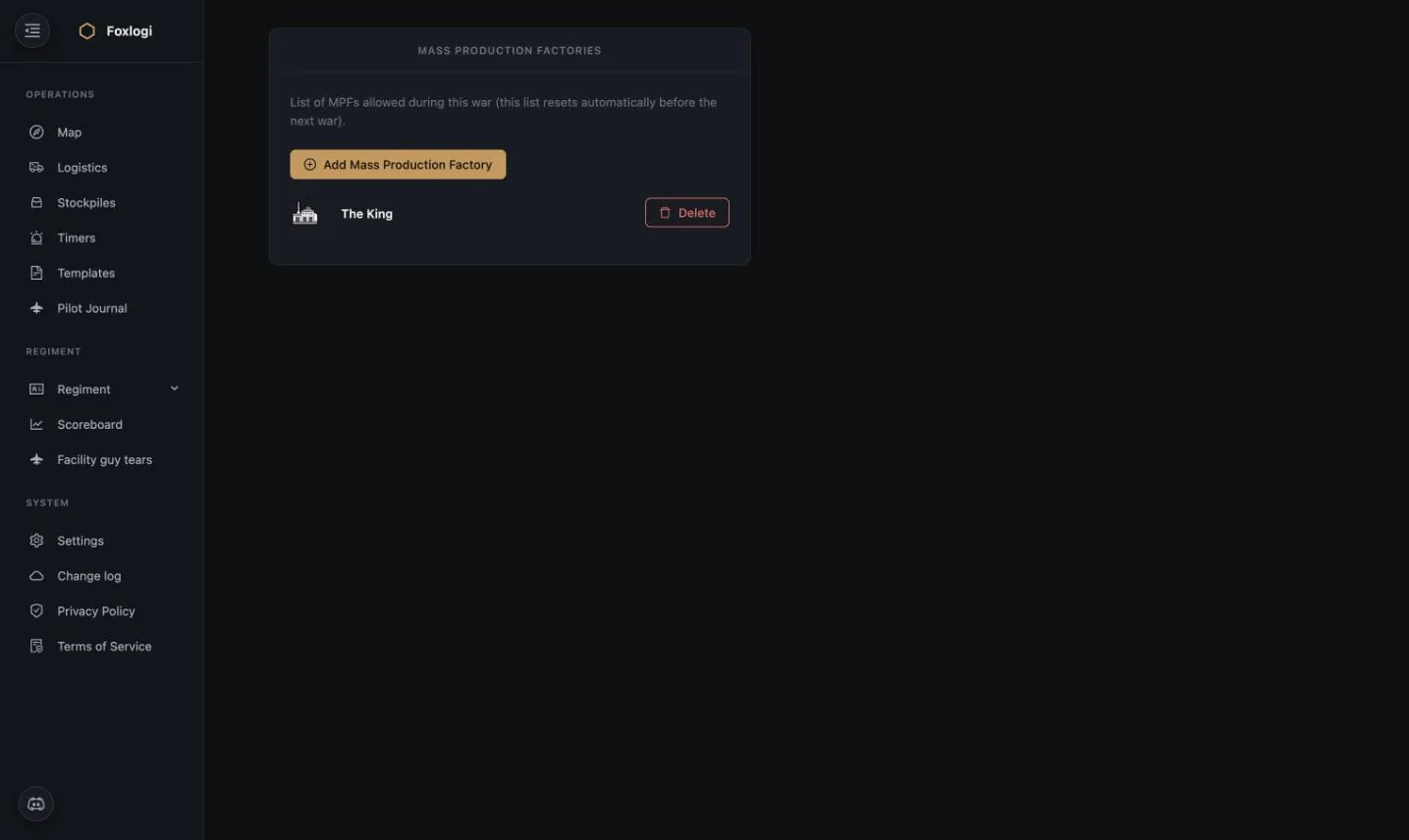
Officers get a Mass Production Factories list: which MPFs the regiment is allowed to use this war. The list resets automatically before each new war, since the map changes and last war's factories may be in enemy hands.
Restricting the list matters because the MPF planner will otherwise suggest orders at factories your regiment has no realistic access to. One entry per factory you actually use keeps the suggestions actionable.